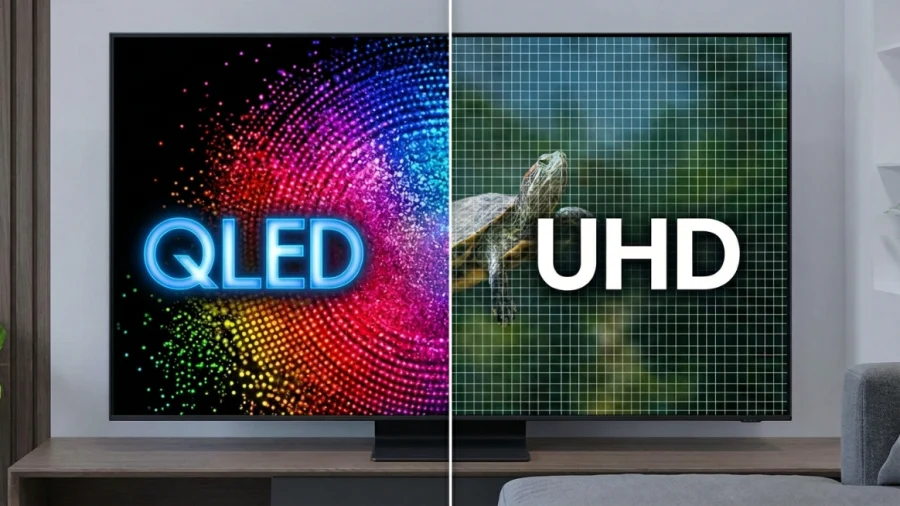
Walk into any electronics store and you’ll be hit with a wall of acronyms. QLED. UHD. OLED. NEO QLED. 4K. HDR. It can feel like TV manufacturers are deliberately trying to confuse you, and honestly, sometimes they are. Two terms that trip up shoppers more than almost any others are QLED and UHD.
People compare them as if they’re rivals, but here’s the twist: they’re not even the same type of specification. Understanding that single fact will make every TV purchase you ever make a lot clearer.
This article breaks down exactly what each term means, how they affect your picture quality, and how to use both when making a buying decision.
Understanding the Terms: A Tale of Two Different Things
Before diving into comparisons, you need to understand something fundamental.
UHD describes resolution (how many pixels are packed onto the screen). QLED describes display technology (how the screen produces light and color). Comparing them directly is a bit like comparing a car’s engine type to its top speed. They’re related, but they measure completely different things.
Once you internalize this, the rest falls into place.
What Is UHD?
UHD stands for Ultra High Definition. It refers to a screen resolution of 3,840 x 2,160 pixels, exactly four times the pixel count of Full HD (1080p). You’ll also see it called 4K, and for most practical purposes, the two terms are interchangeable.
More pixels means more detail. Fine textures in clothing, individual blades of grass, the grain on a wooden table: all of these become visibly sharper on a UHD display compared to a 1080p one, especially on screens 50 inches and larger.
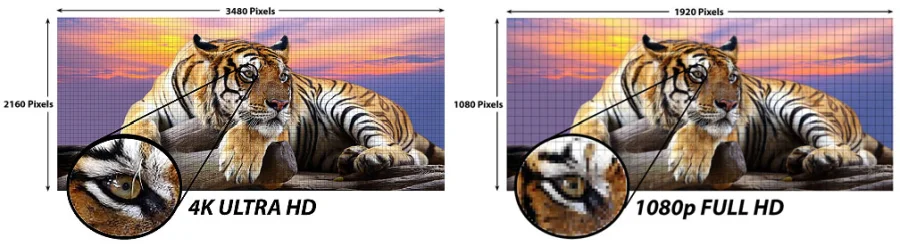
Crucially, UHD is an industry-wide standard, not a brand or proprietary technology. It applies to televisions, computer monitors, projectors, and even smartphone screens. A $300 budget TV and a $3,000 flagship can both be UHD, and the resolution alone doesn’t tell you anything about how good the picture actually looks.
What Is QLED?
QLED stands for Quantum Light-Emitting Diode. It’s a display technology developed and trademarked by Samsung, though other brands like TCL and Hisense use similar quantum dot technology under different names.
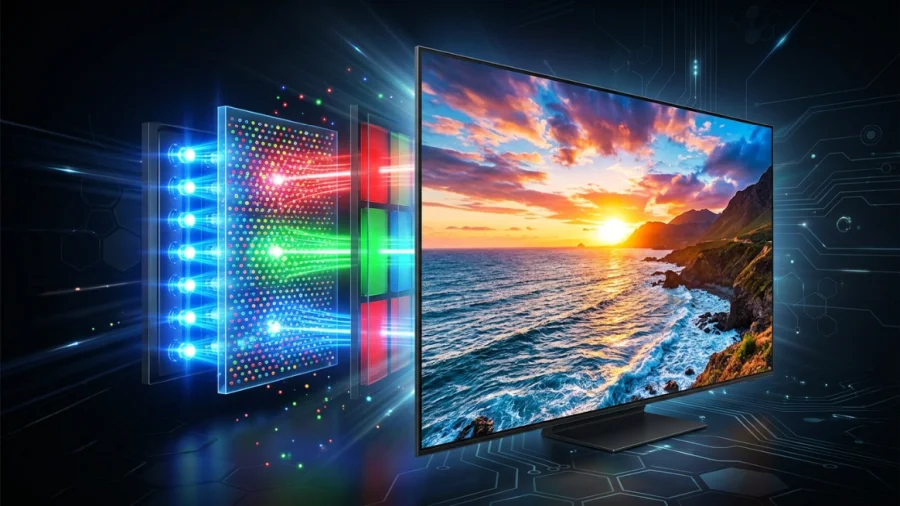
Here’s how it works: a traditional LED-backlit LCD TV uses white LEDs behind the panel to produce light, which then passes through color filters. The result is decent, but colors can look a little washed out and peak brightness has limits.
QLED adds a quantum dot filter layer (a film of microscopic semiconductor crystals) between the backlight and the LCD panel. These crystals absorb the LED light and re-emit it at very precise wavelengths, producing purer, more saturated colors and significantly higher brightness levels.
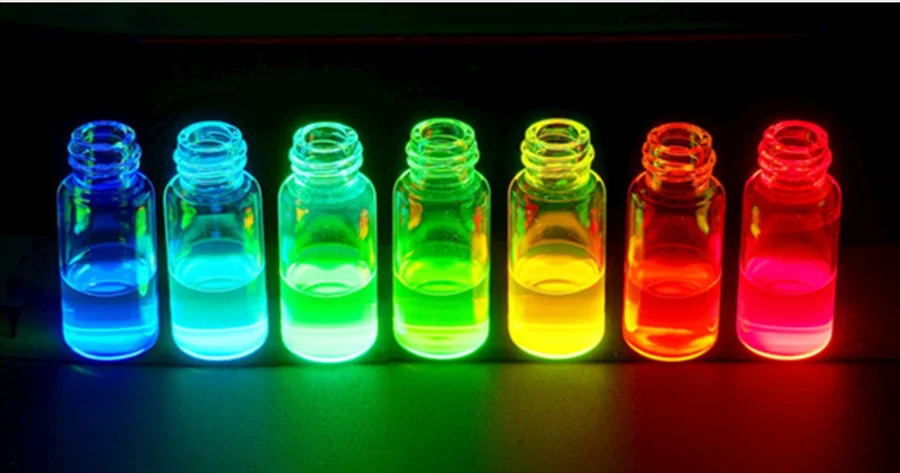
The practical effect is a wider color volume, meaning colors stay vivid and accurate even at high brightness levels. This makes QLED panels particularly well-suited to bright living rooms and HDR (High Dynamic Range) content, where both shadow detail and highlight intensity matter simultaneously.
Can a TV Be Both QLED and UHD?
Yes, and most of them are. In fact, virtually every QLED TV on the market today is also UHD. QLED is a panel technology; UHD is a resolution. They operate on completely different axes, so a television can tick both boxes at once.
When you’re shopping, a TV’s spec sheet will typically list both separately. You might see something like: “4K UHD QLED, 65 inches, HDR10+.” That tells you the resolution (4K/UHD), the display technology (QLED), the size, and the HDR format: all different attributes of the same screen.
Other common combinations you’ll encounter:
- UHD OLED: 4K resolution with OLED panel technology (LG, Sony)
- UHD standard LED/LCD: 4K resolution with a conventional backlit panel (budget TVs)
- UHD NEO QLED: 4K with Samsung’s Mini-LED-based upgrade to QLED
Picture Quality: How Do They Actually Compare?
Since QLED and UHD measure different things, a direct head-to-head isn’t really the right frame. Instead, here’s how each characteristic affects your viewing experience:
Resolution (UHD’s Domain)
A UHD screen gives you four times the detail of 1080p. The difference is most noticeable on large screens (55″+) viewed at close range, and when the source content is actually 4K (Netflix 4K, UHD Blu-ray, etc.). On a 32-inch TV across the room, you may struggle to see the difference at all.
Brightness and Color (QLED’s Domain)
QLED’s quantum dot layer significantly raises the ceiling on both peak brightness and color accuracy. In a sunny room, a QLED panel will look dramatically better than a standard LED panel at the same resolution, because it can push through ambient light without the picture washing out. QLED TVs routinely hit 1,000-2,000 nits of peak brightness, which brings HDR content to life.
Black Levels
This is where QLED has a well-known limitation. Because QLED is still an LCD-based technology, it relies on a backlight that can “bleed” into dark areas of the screen. Black levels on QLED TVs are good, but not as deep as OLED, which turns pixels off entirely to achieve true black. If you watch a lot of dark films or play games in a dim room, this matters.
Overall Sharpness
If two TVs are both UHD, their resolution sharpness is essentially identical. The QLED vs. standard LED difference won’t add more pixels; it just makes the colors and brightness of those pixels more impressive.
QLED vs. Other Display Technologies
It helps to see where QLED sits in the broader landscape:
QLED vs. standard LED/LCD: QLED wins on color volume and brightness, typically with a higher price tag. For bright rooms and HDR, the upgrade is worth it.
QLED vs. OLED: OLED wins on black levels, contrast ratio, and viewing angles. QLED wins on peak brightness and, generally, longevity (no burn-in risk). OLED panels are also typically more expensive. For dark-room cinephiles, OLED is often preferred; for brightly lit living rooms, QLED is the stronger choice.
QLED vs. NEO QLED (Mini-LED): Samsung’s NEO QLED uses thousands of tiny Mini-LED backlights instead of conventional ones, allowing for much more precise local dimming. This closes the gap with OLED on black levels while keeping QLED’s brightness advantage. NEO QLED sits at the premium end of the QLED family.
Price Considerations
UHD on its own is no longer expensive. You can find competent 4K UHD TVs for under $300 at the 50-inch range. The UHD label alone tells you almost nothing about where a TV sits in the market.
QLED commands a premium over standard LED at the same resolution and size, typically 30-60% more, depending on brand and panel size. A 65-inch Samsung QLED will cost noticeably more than a 65-inch Samsung Crystal UHD, for example. Whether that premium is worth it depends on your room setup and how much you’ll be watching HDR content.
NEO QLED and high-end OLEDs sit at the top of the pricing pyramid, often running $1,500 and above for flagship sizes.
Which Should You Choose?
Use this as a quick decision guide:
Go with a standard UHD LED TV if: your budget is tight, the TV will mostly be used for casual viewing, or the room gets modest ambient light. You’ll still get sharp 4K resolution at a fraction of the cost.
Go with a QLED TV if: your room is bright and sunlit, you watch a lot of HDR or streaming content, you want punchy and vivid colors, or you play video games that benefit from high brightness. QLED’s strengths are most apparent in real-world, everyday viewing conditions.
Consider an OLED if: you watch primarily in a dark or controlled-light environment, you care deeply about cinematic picture quality, and you’re willing to pay the premium. The black levels and contrast ratio are simply unmatched by any LCD-based technology.
Conclusion
The QLED vs. UHD confusion comes down to one simple misunderstanding: they’re not competing technologies. They describe entirely different aspects of a television. UHD tells you how sharp the image is. QLED tells you how the screen produces that image.
The smart way to shop is to look at both together, alongside other factors like panel size, HDR support, local dimming quality, and room conditions. A UHD QLED in a bright living room will outperform a UHD OLED in the same environment, but flip to a dark home cinema setup, and the result reverses.
Know what you’re measuring, know your room, and you’ll cut through the marketing noise every time.
Q&A
Crystal UHD vs. QLED
Crystal UHD is Samsung’s branding for their standard 4K LED LCD televisions. QLED adds a quantum dot filter on top of that, which boosts color accuracy and peak brightness significantly. Both are UHD in terms of resolution, but QLED delivers a noticeably better picture, especially in bright rooms.
Difference between 4K UHD and 4K QLED TV
4K UHD simply tells you the resolution: 3,840 x 2,160 pixels. A 4K QLED TV has that same resolution but also uses quantum dot technology to produce richer colors and higher brightness. Think of 4K as the canvas size and QLED as the quality of the paint.
Is QLED worth it over 4K UHD?
It depends on your setup. If your living room gets a lot of natural light or you watch a lot of HDR content, QLED’s brightness and color advantages are very noticeable and worth the premium. For a darker room or casual viewing, a standard 4K UHD TV will do the job just fine at a lower price.
Which is better, QLED or UHD TV?
They measure different things, so it’s not a straight comparison. UHD is a resolution standard that any TV can meet, while QLED is a display technology that improves color and brightness on top of that resolution. A QLED TV is almost always also UHD, so you don’t have to choose between them.
Which is better, QLED or OLED or UHD?
UHD is just resolution and is separate from the other two. Between QLED and OLED, QLED wins on brightness and is better for well-lit rooms, while OLED wins on contrast and black levels, making it the better choice for dark room viewing. OLED also tends to cost more. Neither is universally better – it comes down to your room and budget.
Read Next

HDR10 Pro: LG’s Enhanced HDR Processing Technology
QLED Technology: The Science Behind the Brilliance
WQHD vs QHD – Understanding the Differences and Choosing the Right Resolution
V-Sync vs G-Sync: Which Should You Use?

Asus TUF Gaming VG289Q1A Review: A Budget-Friendly 4K Monitor for Gamers and Content Creators

OLED Technology Explained: The Cornerstone of Modern Displays
LG 32GQ950-B Review: Nano IPS 1ms (GtG) 144Hz; High-End 4K Gaming

Best VPN for Security, Privacy, and Unblocking Content
UHD vs. QHD: Which Resolution Is Right for You?
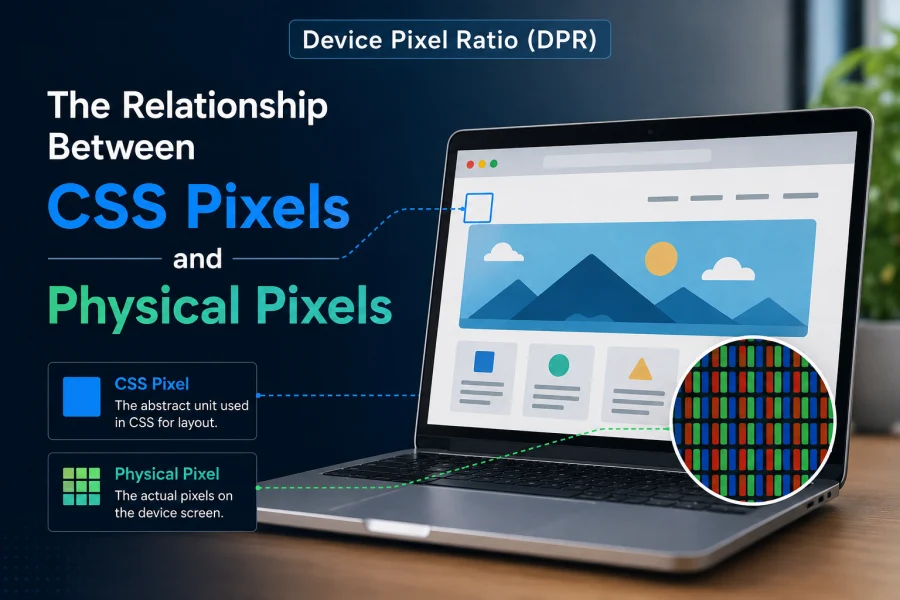
Device Pixel Ratio (DPR): The Relationship Between CSS Pixels and Physical Pixels
MSI Optix MAG342CQR Review: 1500R 1ms 3440×1440 144Hz; Curved UltraWide Gaming Experience

PHOLED vs OLED: Understanding the Differences and Advantages

HDR10 vs HDR10+ vs Dolby Vision: HDR Formats Explained