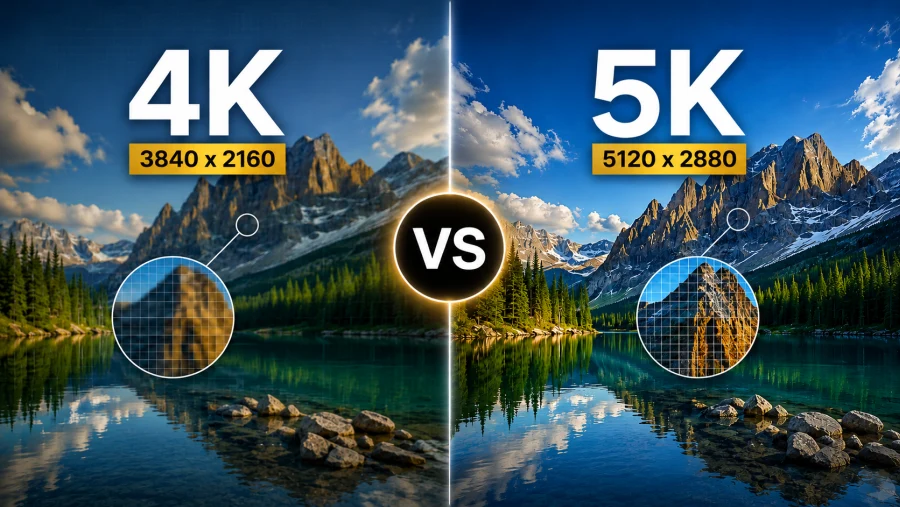
In today’s world of high-definition displays, understanding screen resolutions has become essential for making informed decisions about your devices.
Whether you’re shopping for a new monitor, upgrading your gaming setup, or simply trying to understand what those numbers mean, resolution terminology can be confusing. Among the most misunderstood terms is “2K resolution” which often gets conflated with other popular formats like 1080p and 1440p.
This article will clarify what 2K resolution actually means, how it compares to other common resolutions, and help you determine whether it’s the right choice for your needs.
What is 2K Resolution Size?
The 2K resolution size is commonly used to describe displays with approximately 2,000 horizontal pixels. In the strictest technical sense, true 2K resolution measures 2048 × 1080 pixels, which is the standard established by the Digital Cinema Initiatives (DCI) for digital film projection in movie theaters.
The DCI 2K standard was created specifically for the film industry, providing a consistent format for digital cinema projection. This resolution offers a slightly wider aspect ratio than standard consumer displays, accommodating the cinematic widescreen format used in theaters.
However, in consumer markets, the term “2K” has become somewhat ambiguous. Many people use “2K” to refer to standard 1920 × 1080 (Full HD) displays, while others use it to describe 2560 × 1440 (QHD) monitors.
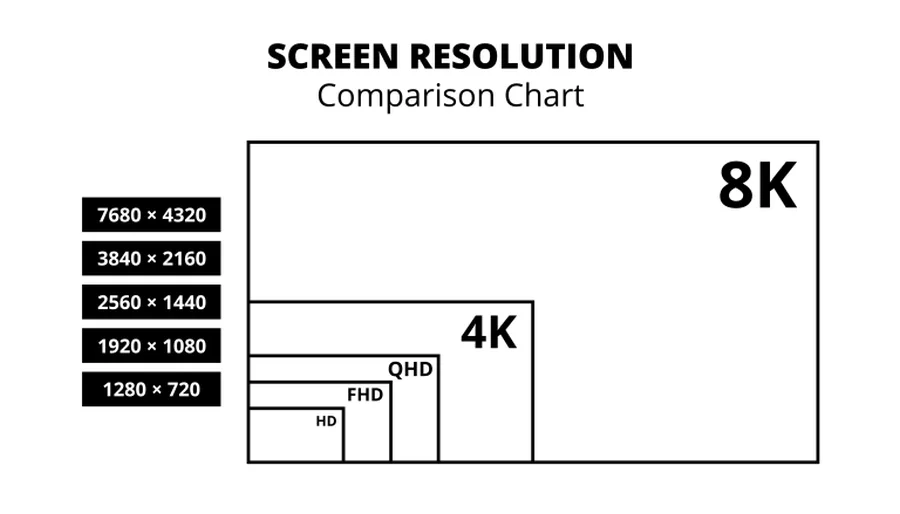
This inconsistency has created considerable confusion among consumers trying to understand what they’re actually purchasing.
2K vs Other Common Resolutions
Understanding how 2K fits into the broader landscape of display resolutions requires comparing it with other popular formats. Here’s a comprehensive breakdown:
| Resolution Name | Pixel Dimensions | Total Pixels | Aspect Ratio | Common Uses |
|---|---|---|---|---|
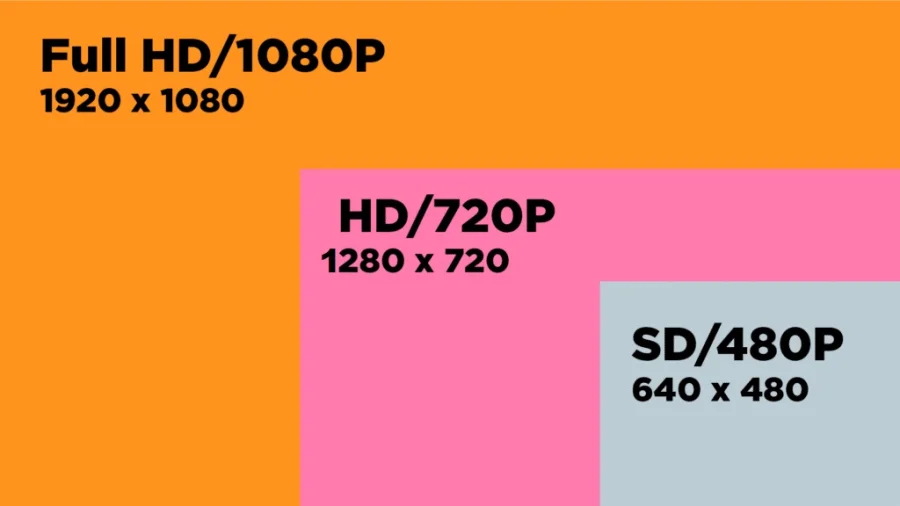
| HD (720p) | 1280 × 720 | 921,600 | 16:9 | Budget displays, streaming |
| Full HD (1080p) | 1920 × 1080 | 2,073,600 | 16:9 | TVs, monitors, gaming |
| DCI 2K | 2048 × 1080 | 2,211,840 | ~17:9 | Digital cinema |
| QHD (1440p) | 2560 × 1440 | 3,686,400 | 16:9 | Gaming monitors, phones |
| 4K UHD | 3840 × 2160 | 8,294,400 | 16:9 | Premium TVs, monitors |
| DCI 4K | 4096 × 2160 | 8,847,360 | ~17:9 | Professional cinema |
As the table shows, true DCI 2K sits between Full HD and QHD in terms of pixel count. It offers roughly 6% more pixels than 1080p, primarily adding width to accommodate theatrical aspect ratios. Meanwhile, QHD provides nearly 78% more pixels than 1080p, making it significantly sharper.
The confusion around “2K” terminology stems from marketing practices. Since 1920 is close to 2000, some manufacturers label 1080p as “2K,” while others reserve the term for 1440p displays. When shopping for displays, it’s crucial to check the actual pixel dimensions rather than relying solely on marketing labels.
Common Uses of 2K Resolution
2K resolution serves various purposes across different industries and consumer applications. Understanding where 2K excels can help you determine if it’s suitable for your needs.
In digital cinema and film production, DCI 2K remains a standard format for movie theaters, particularly in smaller venues or for independent films. While many premium theaters have upgraded to 4K projection, 2K still delivers excellent image quality for theatrical viewing and is widely used in post-production workflows.
Gaming monitors frequently utilize what’s marketed as “2K” (typically referring to 1440p or QHD). These displays offer a sweet spot for gamers, providing noticeably sharper visuals than 1080p while being less demanding on graphics hardware than 4K. This balance allows for higher frame rates, which is crucial for competitive gaming.
Modern smartphones and tablets often feature displays that fall into the 2K category or higher. These high pixel densities ensure sharp text and images on smaller screens where viewing distances are closer.
Professional video editing often involves working with 2K footage, especially in broadcast television and streaming content production. The resolution provides sufficient detail for most viewing scenarios while keeping file sizes and processing requirements manageable.
Streaming services deliver content in various resolutions, with 2K formats (particularly 1080p/Full HD) being the most common for standard high-definition streams. This resolution provides good quality while minimizing bandwidth requirements for both the service provider and the viewer.
Advantages of 2K Resolution
2K resolution offers several compelling benefits that make it an attractive option for many users. The primary advantage is the balance it strikes between visual quality and performance demands.
Compared to 4K, 2K resolution requires significantly less powerful hardware to drive smoothly. For gaming, this means you can achieve higher frame rates with a mid-range graphics card, or spend less on your system while still enjoying sharp, detailed visuals. This performance advantage extends to video editing, where 2K footage is easier to scrub through and preview in real-time than 4K content.
The lower hardware requirements translate directly into cost savings. 2K displays are generally more affordable than their 4K counterparts, making them an excellent choice for budget-conscious buyers who still want quality visuals. Additionally, computers capable of handling 2K content smoothly cost less to build or purchase than systems optimized for 4K workflows.
Despite being more modest than 4K, 2K resolution still provides noticeably sharper images than 1080p, especially on displays between 24 and 32 inches. Text appears crisper, fine details in games and videos are more visible, and the overall viewing experience feels more immersive without the performance penalty of higher resolutions.
For gamers specifically, 2K resolution enables better frame rates, which can be more important than raw pixel count. Competitive players often prioritize smooth, responsive gameplay over maximum resolution, making 2K displays with high refresh rates (144Hz or higher) an ideal choice.
Limitations of 2K Resolution
While 2K resolution has its strengths, it’s important to understand its limitations before making a purchase decision.
On larger displays, particularly screens over 32 inches, 2K resolution may not provide sufficient pixel density for a truly sharp image when viewed up close. Individual pixels become more noticeable, and the image may appear less refined compared to 4K displays of the same size. This limitation becomes more pronounced as screen sizes increase.
The display industry is steadily moving toward higher resolutions. Content creators are increasingly producing material in 4K and beyond, and as 4K displays become more affordable, 2K may become less relevant as a standard. While 2K displays remain excellent for current needs, they may feel dated more quickly than 4K alternatives.
As graphics hardware becomes more powerful and affordable, the performance advantages of 2K over 4K diminish. If you’re planning to keep your display for many years, investing in 4K might provide better long-term value, even if your current hardware can’t fully utilize it.
Additionally, the terminology confusion around “2K” can lead to purchasing mistakes. Without careful research into actual pixel dimensions, buyers might not get the resolution they’re expecting.
Is 2K Right for You?
Determining whether 2K resolution suits your needs depends on several factors including your use case, budget, and viewing environment.
2K resolution is ideal for gaming setups where you prioritize frame rates over absolute sharpness. If you play competitive games like first-person shooters or racing simulations, a 2K display with a high refresh rate will serve you better than a 4K screen with lower refresh rates. Screen sizes between 24 and 27 inches are particularly well-suited to 2K gaming, as the pixel density remains high enough for sharp visuals.
For general computing, web browsing, and productivity work on displays up to 27 inches, 2K resolution provides excellent clarity for text and images without requiring high-end hardware. If you’re using a laptop or desktop for everyday tasks, 2K offers a noticeable improvement over 1080p without the scaling issues that sometimes affect 4K displays.
Budget considerations often make 2K the practical choice. If you have a limited budget and need to balance display quality with other components like graphics cards or processors, 2K allows you to allocate funds more efficiently. The money saved on choosing 2K over 4K can be invested in better hardware that improves overall system performance.
However, content creators working with video production, photo editing, or graphic design might benefit from 4K displays, especially if they’re creating content that will be viewed on high-resolution screens. The additional pixels provide more workspace and better detail for professional work.
If you sit far from your screen, such as with a living room TV setup, the difference between 2K and 4K becomes less noticeable. In these scenarios, 2K might be perfectly adequate, though content availability should also factor into your decision.
Q&A
Is 2K the same as 1440p?
Not exactly, but they’re used interchangeably. True 2K is ~2048 pixels wide (cinema standard); 1440p is 2560×1440. Most people say “2K” when they mean 1440p anyway.
What resolution is 2560×1440?
It’s QHD (Quad HD), also called 1440p. It sits between 1080p and 4K in sharpness and performance demands.
Is 2560×1440 4K or 2K?
Neither, technically, it’s QHD. But it’s commonly lumped in with “2K” in casual use. It has about a quarter of 4K’s pixel count.
Is 2160p 4K or 2K?
4K. It’s 3840×2160 (UHD), with four times the pixels of 1080p.
Is 2K as good as 4K?
No, 4K has about 4x the pixels and more detail. But on smaller screens or at normal viewing distances, 2K often looks just as good while being lighter on hardware.
Read Next
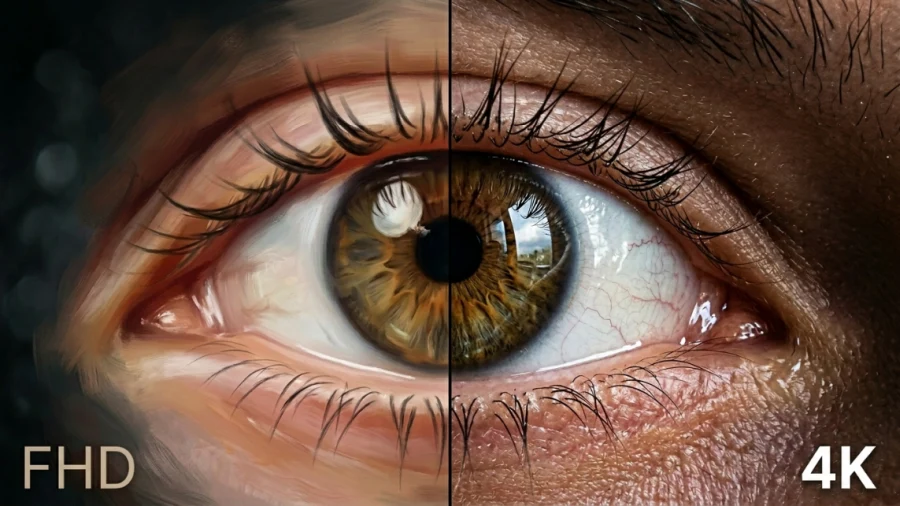
FHD vs 4K: Is the Upgrade Worth It?
Samsung Odyssey OLED G8/G80SD S32DG80 Review: 4K 240Hz 0.03ms; Ultra-Sharp Masterpiece for Gamers
HDR vs OLED – What Sets Them Apart?
QHD vs 4K: Right Resolution for Your Display
HD vs FHD: Explanation
1ms MPRT Response Time: The Key to Smoother Gaming

Gorilla Glass and Beyond: The Materials Behind Ultra-Tough Screens
LG 32GQ950-B Review: Nano IPS 1ms (GtG) 144Hz; High-End 4K Gaming
Local Dimming On or Off: A Guide to the Best Settings
Full Array LED vs Mini-LED: Decoding the TV Backlighting
HDR Tone Mapping on TVs

HGiG Mode for HDR gaming: Explanation
UWQHD vs 4K: How to Decide Between Ultra-Wide and Ultra-Detail