If you’ve been shopping for a new monitor, TV, or phone, you’ve probably run into both of these terms in product listings and wondered how they stack up against each other.
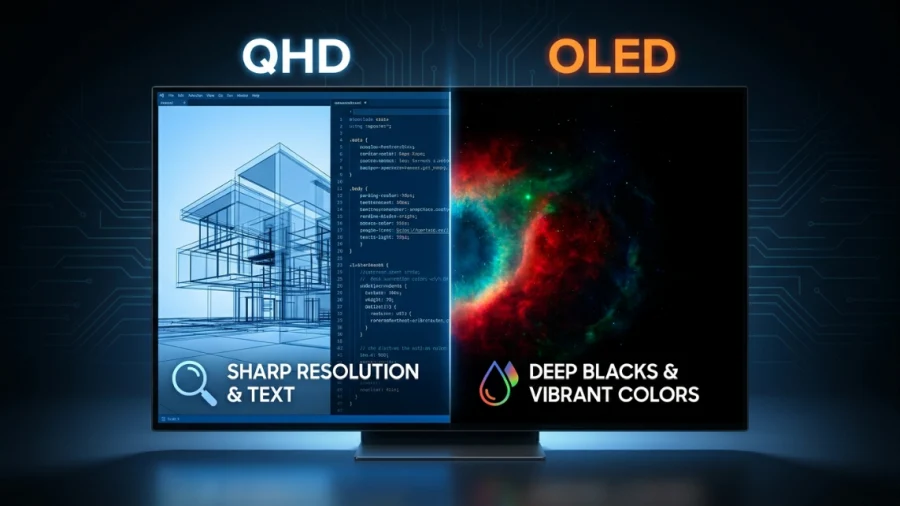
It’s a natural question, but it’s built on a small misunderstanding. QHD and OLED aren’t competing options you have to choose between. They describe two completely different things about a screen, and a single display can actually be both at once.
This article breaks down what each term actually means, clears up the confusion, and helps you figure out which specs actually matter for the way you use your screen.
What Is QHD?
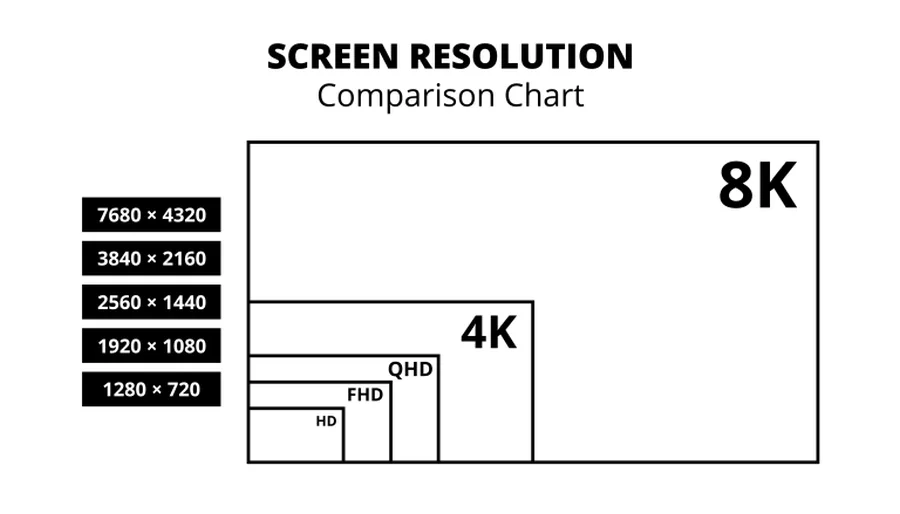
QHD stands for Quad HD, and it refers to a screen’s resolution: 2560×1440 pixels.
The name comes from the fact that it has four times the pixel count of standard 720p HD. You’ll sometimes see it labeled as 1440p, which is the same thing described by its vertical pixel count instead.
QHD sits in the middle of the resolution ladder. It’s a step up from 1080p (Full HD) but a step below 4K (Ultra HD). You’ll find it most commonly on:
- Computer monitors, especially those aimed at gamers and professionals
- Some flagship and mid-range smartphones
- A handful of laptops
The appeal of QHD is that it delivers noticeably sharper text and images than 1080p, particularly on larger screens, without demanding nearly as much processing power from a graphics card as 4K does.
For gamers, this often means higher frame rates are easier to hit at QHD than at 4K, while still getting a meaningfully crisper picture than 1080p.
What Is OLED?
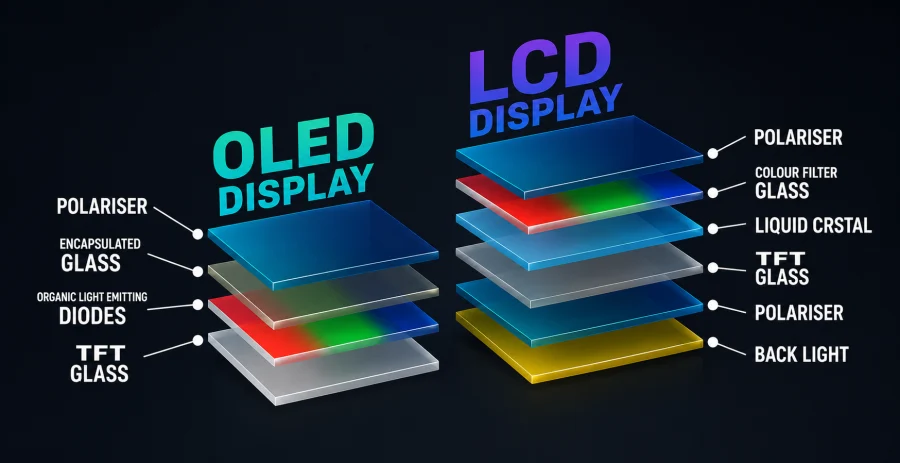
OLED, short for Organic Light-Emitting Diode, describes a display’s panel technology, meaning how the pixels themselves produce light. In an OLED panel, every individual pixel emits its own light and can be switched off completely.
This is fundamentally different from LCD panels, which rely on a separate backlight shining through a layer of liquid crystals.
That self-lighting property is what gives OLED its reputation. Because pixels can turn off entirely, OLED screens produce true blacks and extremely high contrast.
Colors tend to look vivid and accurate, viewing angles are wide, and response times are fast, which matters for fast-moving content like sports or gaming.
OLED shows up in:
- Premium TVs
- Flagship smartphones
- A growing number of high-end monitors and laptops
The tradeoffs are real, though. OLED panels have historically had lower peak brightness than the best LCD panels, though this gap has narrowed with newer generations.
There’s also a long-standing risk of burn-in, where static images displayed for extended periods can leave a faint permanent ghost on the screen. And OLED technology generally costs more to manufacture, which shows up in the price tag.
The Real Comparison: Resolution vs. Panel Type
Here’s the key point this whole article is built around: QHD and OLED are answering two different questions about a display.
- Resolution (QHD, 4K, 1080p) answers “how many pixels does this screen have?”
- Panel technology (OLED, LCD, IPS, VA) answers “how do those pixels produce light and color?”
Think of it like comparing a car’s engine to its paint job. Both matter, but they’re not alternatives to each other, and one doesn’t rule out the other.
In the same way, a screen can be QHD and use an LCD panel, or QHD and use an OLED panel. You can also get 4K LCD screens or 4K OLED screens. The resolution and the panel type are chosen independently by the manufacturer, and increasingly, by the buyer.
So when someone asks “QHD or OLED,” what they usually mean, even if they don’t realize it, is either “should I prioritize resolution or picture quality” or “should I get a QHD LCD screen or a QHD OLED screen.” Both are worth answering.
QHD OLED vs. QHD LCD: A More Useful Comparison
Once you fix the resolution at QHD, comparing the panel types becomes a much more meaningful exercise. Here’s how QHD OLED and QHD LCD stack up against each other.
Color and contrast: OLED wins clearly here. The ability to shut off individual pixels means blacks are truly black, not the dark gray that even good LCD panels tend to show. Color accuracy also tends to be strong out of the box on OLED panels.
Gaming performance: OLED again has an edge, thanks to near-instant pixel response times that reduce motion blur and ghosting. Fast-paced games and competitive titles benefit noticeably.
Brightness: This is where LCD, particularly panels using Mini-LED backlighting, can pull ahead. High-end LCD monitors and TVs can often get brighter than OLED panels, which matters in sunlit rooms or for HDR highlights.
Price and longevity: LCD is cheaper to produce and doesn’t carry the burn-in risk that OLED does, making it a safer choice for uses involving static content, like productivity work with fixed toolbars and taskbars.
Neither option is objectively better. It depends entirely on what you’re using the screen for.
Which Should You Prioritize?
Different users benefit from prioritizing different specs, and there’s no single right answer.
Gamers often benefit most from prioritizing panel technology over resolution. OLED’s fast response times and high contrast can make a bigger visible difference during gameplay than the jump from 1080p to QHD.
That said, QHD OLED monitors now exist and offer a strong middle ground between sharpness and speed for gamers who don’t want to compromise on either.
Content creators and designers tend to care more about color accuracy and contrast, which points toward OLED, but they may also want the extra screen real estate that comes from a higher resolution, which points toward QHD or even 4K.
If budget allows, a QHD OLED display is a strong choice for this group.
Budget-conscious buyers may find that a QHD LCD screen offers the best value. It delivers a sharp, detailed image without the added cost of OLED technology, and avoids any burn-in concerns for people who leave the same windows or applications open for long stretches.
Common Buying Combinations
If you’re actually shopping, here’s how these terms tend to show up together in real products.
QHD OLED monitors combine sharp resolution with excellent picture quality, and have become increasingly popular among gaming monitor manufacturers over the past couple of years.
They typically sit at a higher price point than QHD LCD alternatives but offer a noticeable upgrade in visual quality and motion handling.
4K OLED vs. QHD OLED is a common dilemma once a shopper decides they want an OLED panel. The question then becomes whether the extra sharpness of 4K is worth the additional cost and the heavier demand it places on a graphics card, especially for gaming.
Many buyers find that QHD OLED offers a better balance of image quality and performance for mid-range gaming setups, while 4K OLED makes more sense for larger screens or non-gaming use where frame rate is less of a concern.
Conclusion
QHD and OLED were never really rivals. QHD describes how many pixels a screen has, while OLED describes how those pixels create light and color.
Once that distinction is clear, the more useful question isn’t “QHD or OLED” but rather “how much resolution do I need” paired with “which panel technology fits my priorities and budget.”
If picture quality, contrast, and motion clarity matter most to you, lean toward OLED. If sharpness and value are your priorities, a QHD LCD screen might suit you better.
And if your budget stretches far enough, a QHD OLED display lets you avoid the tradeoff entirely by getting strong performance on both fronts at once.
Q&A
Is QHD just 2K?
Not exactly, though the terms often get used interchangeably. QHD refers specifically to 2560×1440 resolution, while “2K” is a looser marketing term that’s sometimes applied to QHD and sometimes to 1080p, since both fall roughly in the 2,000-pixel range. If precision matters, QHD is the more accurate term to use.
Is QHD equal to 4K?
No, QHD is lower than 4K. QHD is 2560×1440, while 4K is 3840×2160, which works out to roughly 1.8 times more pixels than QHD. 4K delivers a sharper image, especially on larger screens, but it also demands more from your graphics hardware to run smoothly.
Is QHD good enough for most uses?
For most people, yes. QHD offers a clear sharpness upgrade over 1080p while being far less demanding on hardware than 4K, making it a strong middle ground for gaming, everyday productivity, and general media consumption. Unless you’re working with a very large screen or need maximum detail for tasks like photo or video editing, QHD is usually more than enough.
Read Next

Full Array Local Dimming: The Key to Superior Contrast
QLED vs UHD: What’s the Difference and Which One Actually Matters?
HDR10 vs HDR10+ in Gaming: What’s the Difference and Does It Matter?
Retina Displays vs. 300 DPI: A Deep Dive into Perceived Resolution
4K vs 5K Resolution: Which One Do You Really Need?
HDR10 vs HDR10+ vs Dolby Vision: HDR Formats Explained

Wide Color Gamut (WCG): New Standard for Color Precision

Best VPN for Security, Privacy, and Unblocking Content
FHD vs 4K: Is the Upgrade Worth It?
HDR True Black 400, 500, 600: New Era of Darker Blacks in Display Technology

2K Resolution Size: Understanding the Midpoint Between HD and 4K
HDR vs OLED – What Sets Them Apart?
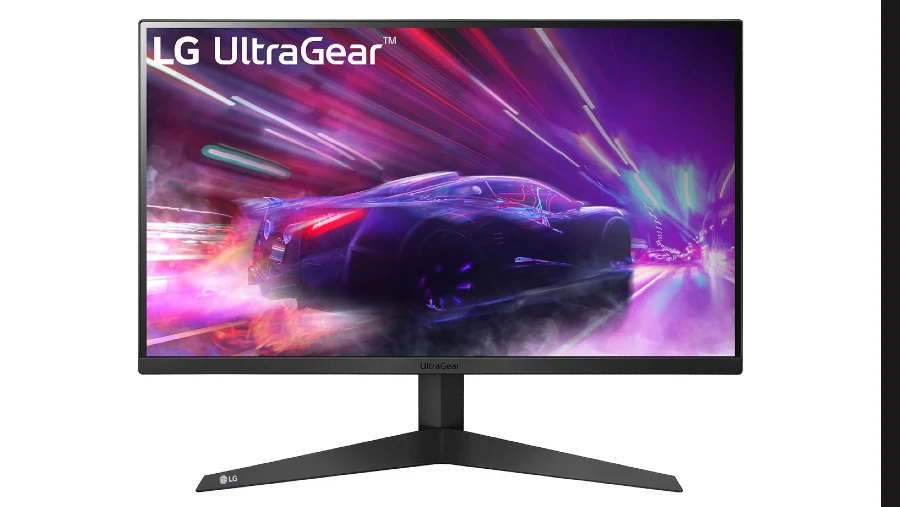
LG UltraGear 24GQ50F-B Review: 1920×1080 165Hz 1ms MBR FreeSync Premium; Essential Features Without Breaking the Bank