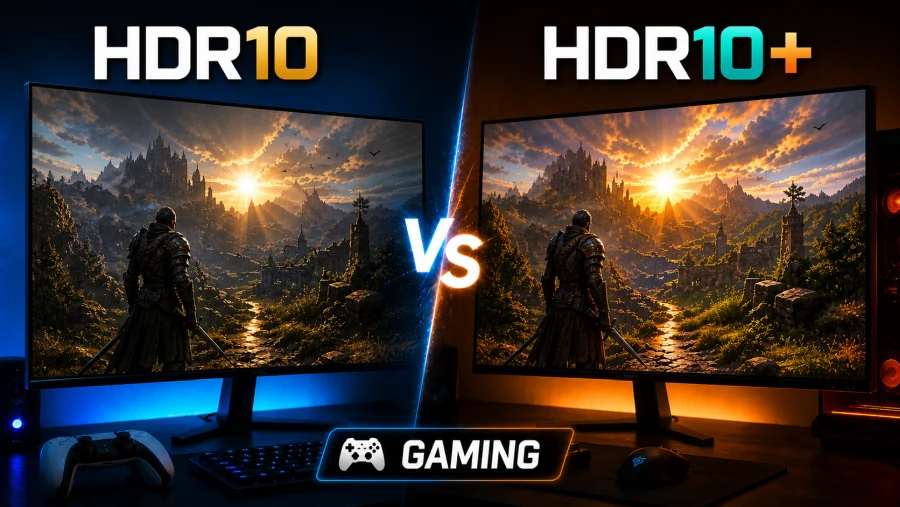
High dynamic range has moved from a buzzword to a genuine gaming feature over the past few years. Most modern TVs, monitors, consoles, and gaming PCs support some form of HDR, but the standard your display uses matters more than the label alone.
Two of the most common formats you will encounter are HDR10 and HDR10+, and while they sound nearly identical, the difference between them can be visible on the right hardware.
This article breaks down how both standards work, where each one shows up in gaming, and which one you should actually care about based on your setup.
Understanding HDR10
HDR10 is the baseline open standard for high dynamic range content. It was introduced in 2015 and has since become the most widely adopted HDR format in the world. Every major gaming platform, display brand, and streaming service supports it, which is the main reason it remains so dominant.
The format uses 10-bit color depth, which allows for over one billion colors compared to the 16.7 million available in standard 8-bit displays. It supports a theoretical peak brightness ceiling of 10,000 nits, though most consumer displays land somewhere between 400 and 2,000 nits in practice.
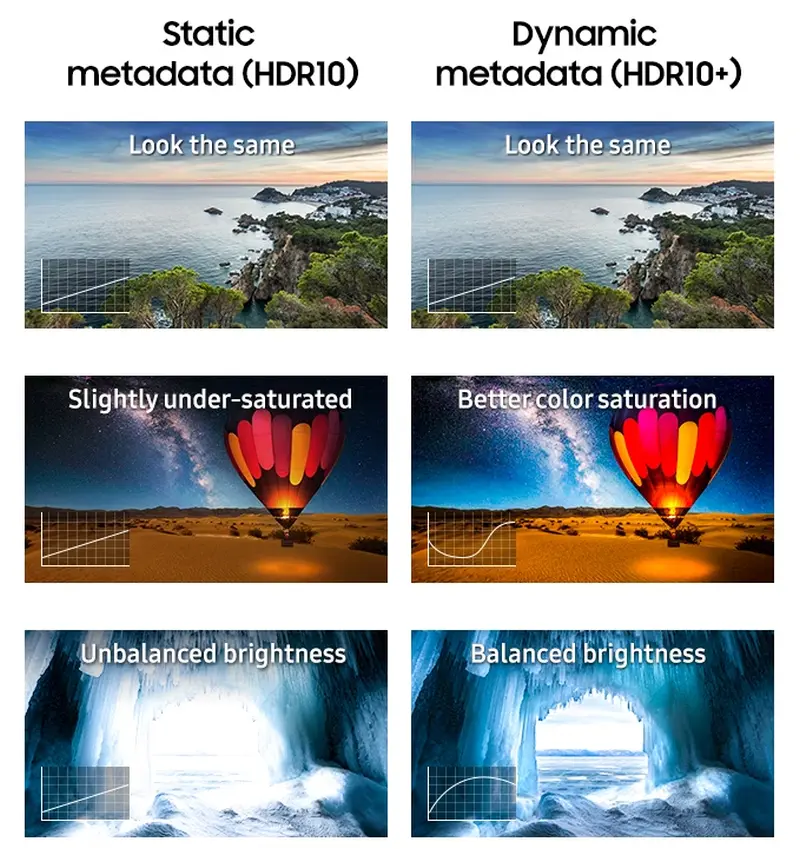
The biggest technical characteristic of HDR10 is its use of static metadata. Metadata, in this context, is the information a display receives alongside the image signal that tells it how to handle brightness and color.
With static metadata, that information is set once for the entire piece of content, whether that is a film, a game scene, or an entire gaming session. The display applies the same tone mapping rules from start to finish regardless of whether you are in a dimly lit cave or a sun-drenched open field.
This works reasonably well, but it creates an inherent limitation. If a game’s brightest moment is a fireball explosion, the display calibrates its tone mapping around that peak. Everything else in the game, including all the subtle shadow detail in dark areas, may be compressed or clipped to accommodate the maximum.
Understanding HDR10+
HDR10+ was developed by Samsung and officially launched in 2017, with backing from Amazon and Panasonic. It builds directly on the HDR10 foundation and keeps the same 10-bit color depth, but it adds one significant upgrade: dynamic metadata.
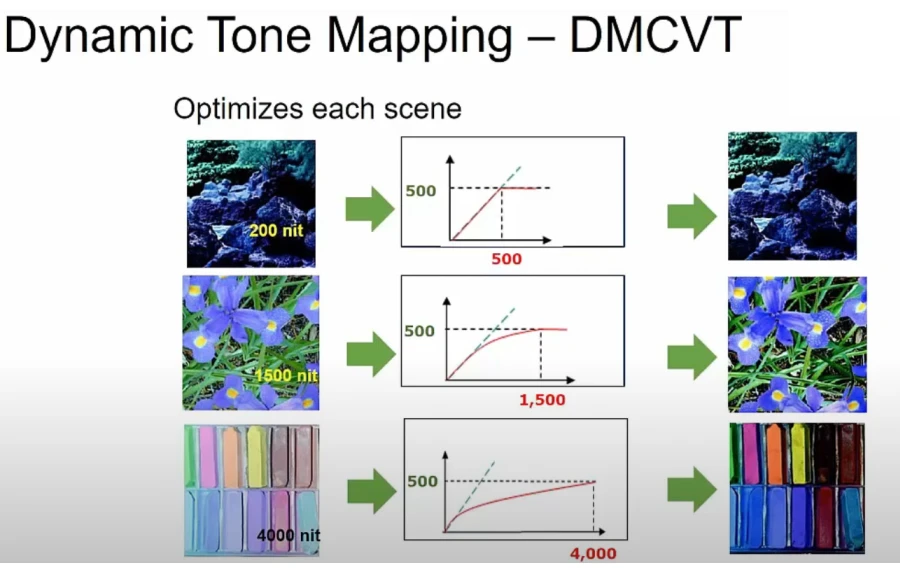
Instead of setting tone mapping instructions once for all content, HDR10+ adjusts those instructions on a scene-by-scene or even frame-by-frame basis. As you move through a game, the display constantly receives updated brightness and color mapping information and adapts in real time.
A dark dungeon corridor gets tone-mapped differently from a neon-lit city street, even within the same gaming session.
HDR10+ is a royalty-free standard, meaning manufacturers and developers do not pay licensing fees to use it, which keeps it more accessible than some competing formats. However, devices do require certification to carry the HDR10+ badge, and that certification process has slowed adoption compared to the frictionless spread of HDR10.
The Core Technical Difference: Static vs. Dynamic Metadata
The static vs. dynamic metadata distinction is not just a technical footnote. It directly affects what you see on screen.
With static metadata, the display’s tone mapping has to make a single compromise that covers the entire range of brightness levels in a game. Developers often set conservative metadata values to avoid blown-out highlights, which can result in an image that looks flat or dim in darker areas.
Dynamic metadata solves this by giving the display more information to work with at any given moment. The result is better preservation of shadow detail, more accurate highlight rendering, and a more consistent visual experience as lighting conditions change throughout a game.
On a capable display, the difference can be noticeable in content with high contrast, particularly in games with dramatic lighting shifts or cinematic visuals.
That said, the real-world gap depends heavily on display quality. A high-end HDR10 monitor with excellent local dimming can outperform a budget HDR10+ screen despite the technical advantage of the latter format.
Gaming Platform Support
Consoles
Console support is where HDR10 and HDR10+ diverge most sharply for players.
The Xbox Series X and Series S are currently the only major consoles with native HDR10+ support. Microsoft has also implemented Auto HDR, a feature that uses machine learning to add HDR output to games that were never designed for it.
When paired with an HDR10+ compatible display, Xbox delivers one of the most complete HDR gaming setups available in the console space.
The PS5 supports HDR10 but does not support HDR10+. Sony has its own HDR pipeline built around its proprietary tone mapping technology, and the console is engineered around HDR10 as its ceiling. PlayStation gamers get solid HDR performance, but they are not benefiting from dynamic metadata regardless of what their display supports.
The Nintendo Switch OLED supports HDR10 when docked and connected to a compatible TV, but the display itself does not render HDR content. Nintendo has not moved toward HDR10+ at all.
PC Gaming
PC gaming offers more flexibility than consoles. NVIDIA, AMD, and Intel Arc GPUs all support HDR10 output. HDR10+ support on PC depends on the GPU, driver version, and display combination.
Windows 11 includes Auto HDR support for DirectX 11 and DirectX 12 games, converting SDR content to HDR in real time.
Microsoft has also added HDR10+ support at the operating system level, so PC gamers running Windows 11 with compatible hardware can take advantage of dynamic metadata without waiting for individual games to implement it.
Game-level HDR implementation still varies widely. Some developers invest deeply in HDR calibration with dedicated in-game menus and full-scene grading.
Others ship a basic HDR toggle that adds little visible benefit. This inconsistency is one of the biggest practical challenges for HDR in gaming regardless of which standard is being used.
Display Compatibility
HDR10 is supported by virtually every HDR-capable TV and gaming monitor on the market. HDR10+ is more selective. Samsung displays support it natively, and a growing number of Panasonic, Philips, and TCL models have added certification.
The HDR10+ Gaming certification is a newer tier worth noting. It is specifically designed for gaming use cases and includes support for variable refresh rate (VRR) and low-latency output alongside the dynamic metadata pipeline.
This certification matters because standard HDR10+ was built with film and streaming in mind. Gaming certification ensures the format behaves correctly at high frame rates and with the unpredictability of real-time rendered content rather than pre-mastered video.
For full HDR gaming bandwidth, particularly at 4K resolution and high frame rates, HDMI 2.1 is a practical requirement. Older HDMI versions can handle HDR signals but may limit resolution or refresh rate.
Real-World Performance in Games
In fast-paced competitive games, the practical difference between HDR10 and HDR10+ is minimal. When frame rates are high and scenes change rapidly, dynamic metadata has less time to produce a visible improvement over static tone mapping. The formats converge in performance.
The gap is more apparent in slower, cinematic, or open-world games. Titles with wide environmental variety, such as open-world RPGs, survival games, or story-driven adventures, give dynamic metadata more opportunity to show its value.
Transitioning from an interior space to a bright outdoor environment, or from a fire-lit scene to a shadowy forest, is where HDR10+ earns its technical advantage.
Input latency is a reasonable concern when adding any extra processing layer to a display pipeline. HDR10+ processing is handled at the hardware level in certified displays and adds no meaningful latency for gaming purposes.
Always enable Game Mode on your TV when gaming regardless of HDR format, as it bypasses most post-processing pipelines and keeps response times low.
A Quick Word on Dolby Vision
No HDR comparison in gaming is complete without mentioning Dolby Vision. It also uses dynamic metadata and is technically superior to both HDR10 and HDR10+ in its implementation, but it comes with significant licensing costs for manufacturers and developers.
Xbox Series consoles support Dolby Vision Gaming, making it the most feature-complete HDR platform on that side of the market. It deserves its own full comparison, but for mid-range and budget setups, HDR10 and HDR10+ are the more relevant formats.
Which Standard Should You Care About?
The honest answer depends entirely on your hardware.
If you game on a PS5 or Nintendo Switch, HDR10 is your format by default and you do not need to worry about HDR10+ at all. Focus your energy on calibrating HDR10 correctly through your console and display settings rather than chasing a format your hardware does not support.
If you game on Xbox Series X or S and have an HDR10+ certified display, enabling HDR10+ is a straightforward win. It costs nothing and can produce a meaningfully better image in the right games.
If you are a PC gamer, check your GPU driver settings and Windows HDR options. Windows 11 with a capable GPU and an HDR10+ certified monitor gives you access to dynamic metadata across a wide range of games, including older titles through Auto HDR.
If you are shopping for a new display and weighing HDR10+ as a feature, it is worth having but should not override other priorities like peak brightness, local dimming quality, and panel type. A well-implemented HDR10 display will look better than a poorly implemented HDR10+ one.
Conclusion
HDR10 remains the universal foundation of HDR gaming because of its near-total compatibility across every platform and display. HDR10+ is a genuine technical improvement that delivers better results in demanding content, but its advantage is most visible on the right hardware, in the right games, and with proper implementation.
For most gamers, the priority should be ensuring HDR is enabled and correctly calibrated before worrying about which version of it is running. Get those fundamentals right, and both standards will serve you well.
Read Next
WQHD vs QHD – Understanding the Differences and Choosing the Right Resolution
1440p Resolution: The Definitive Guide to QHD
Full Array LED vs OLED: Which Display Technology is Right for You?
Samsung Odyssey OLED G8/G80SD S32DG80 Review: 4K 240Hz 0.03ms; Ultra-Sharp Masterpiece for Gamers
Mini LED vs OLED: Which Display Technology Reigns Supreme?

Retina Displays vs. 300 DPI: A Deep Dive into Perceived Resolution
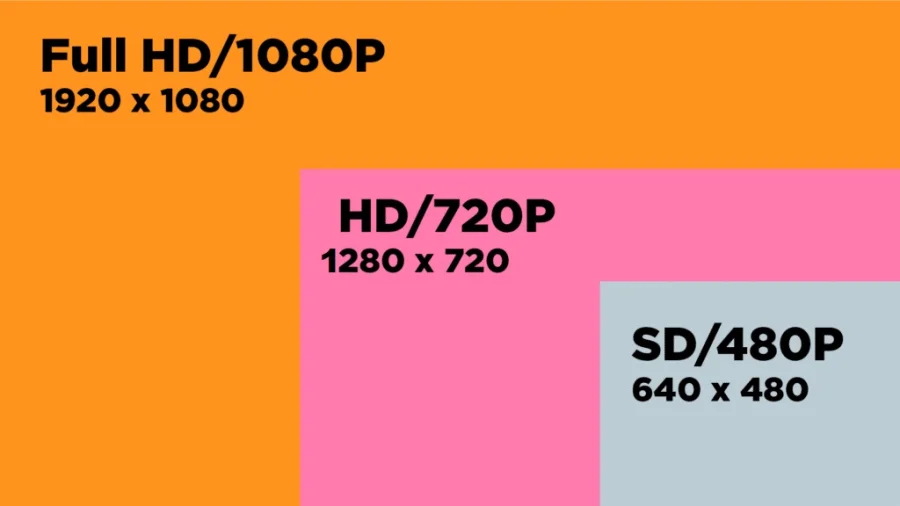
HD vs FHD: Explanation
MSI G2712 Review: IPS 1920×1080 1ms 170Hz; Blend of Performance and Value

OLED Technology Explained: The Cornerstone of Modern Displays
HDR Gaming: Elevating Entertainment with Realism
Google TV vs Samsung Tizen: Which Smart TV Platform Is Right for You?

HDR vs UHD: Enhancing Resolution and Contrast for the Best Visuals
LG 32GQ950-B Review: Nano IPS 1ms (GtG) 144Hz; High-End 4K Gaming