OLED has become the go-to choice for anyone who wants the best picture quality from a TV or monitor, but not every OLED panel is built the same way. Two designs dominate the market today: WOLED, made by LG Display, and QD-OLED, made by Samsung Display.
Both deliver the perfect blacks and lightning-fast response times that LCDs cannot match, yet they create color in very different ways, and those differences show up in brightness, color, text clarity, and price.
The good news is that the gap between them is narrower than it has ever been. Newer WOLED generations have closed much of the brightness deficit, while QD-OLED keeps improving in efficiency and coatings. This article explains how each technology works, compares them across the factors that matter, and helps you pick the right one for your setup, whether you are shopping for a TV, a gaming monitor, or both.
How Each Technology Works
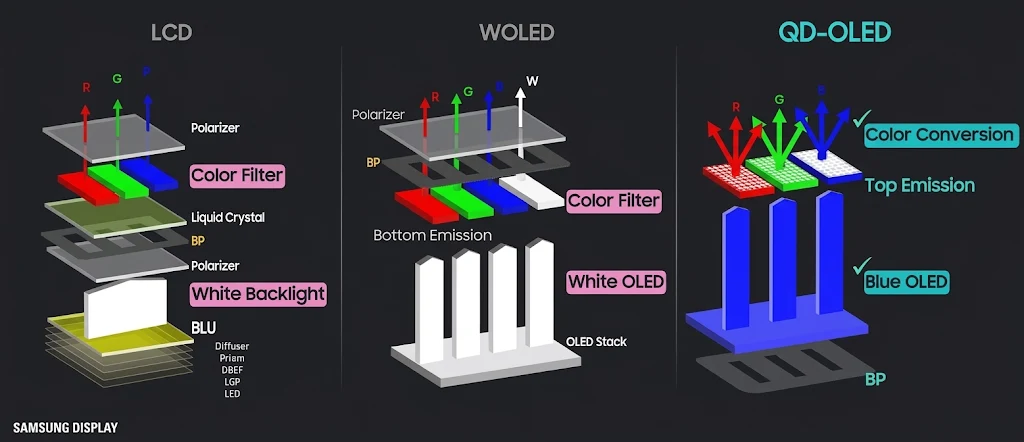
WOLED stands for white OLED. Every pixel starts with a stack of organic layers that emits white light, and a color filter layer on top splits that light into red, green, and blue. Most WOLED panels also include a white subpixel in each pixel, which boosts brightness at the cost of some color purity.
Recent designs use a tandem OLED structure, stacking multiple emissive layers so the panel can produce more light without being pushed as hard. LG’s newest versions go further with a primary RGB tandem approach that improves both brightness and color.
QD-OLED takes a different route. Its light source is a blue OLED layer, and a layer of quantum dots converts some of that blue light into red and green while the rest passes through as blue.
Because no white light has to be filtered, less light is wasted and the colors come out purer. There is no white subpixel, so every pixel is a straightforward red, green, and blue group.
Head-to-Head Comparison
Color
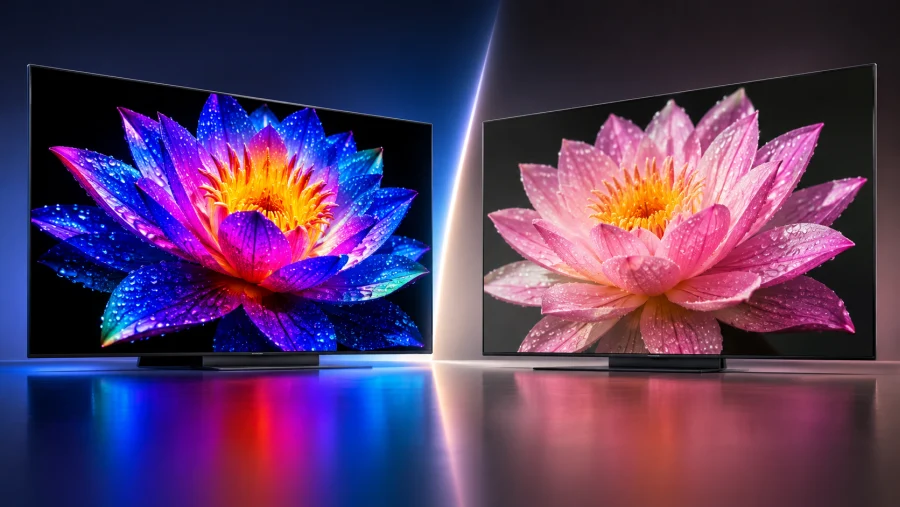
QD-OLED usually wins on color volume, which describes how much color a display can reproduce across different brightness levels. Without a white subpixel diluting the image, saturated colors stay vivid even when they are bright.
WOLED panels can look slightly washed out in bright, colorful scenes because the white subpixel adds luminance but not saturation. The difference is easiest to spot in neon signs, sunsets, and colorful game worlds. For color-critical work, QD-OLED is generally the safer pick.
Brightness
Historically, WOLED led in full-screen white brightness while QD-OLED led in bright, saturated highlights. Newer tandem WOLED panels have closed much of the gap, and flagship TVs from both camps now get bright enough for most living rooms.
Manufacturer claims vary widely, so check independent measurements for the exact model you are considering. Peak brightness numbers tell only part of the story, so look at sustained and full-screen figures too.
Black Levels in Bright Rooms
In a dark room, both technologies produce essentially perfect blacks. With the lights on, things change. Many QD-OLED panels lack a traditional polarizer, so ambient light can lift blacks toward dark gray, an effect known as raised blacks. WOLED panels typically keep blacks deeper in bright rooms, although newer QD-OLED coatings and designs have reduced the issue.
Text Clarity and Subpixel Layout
This matters most on monitors. The subpixel layout of many QD-OLED panels can produce slight color fringing around small text, while WOLED’s arrangement generally renders cleaner edges. Higher resolutions such as 4K shrink the problem considerably, and newer panels keep improving, but anyone who spends hours reading or coding should compare text rendering in detailed reviews or in person.
Motion, Coatings, and Efficiency
Both technologies have response times that leave LCDs far behind. The real differences come from how manufacturers use them. Some WOLED monitors offer dual-mode switching to extremely high refresh rate settings at lower resolutions, which competitive gamers appreciate, while QD-OLED monitors have also pushed refresh rates sharply upward.
Coatings matter too. A matte finish cuts reflections but can slightly soften perceived contrast, while glossy screens look punchier in controlled lighting. On efficiency, QD-OLED has an edge because it does not waste light filtering a white source.
Burn-In and Longevity
Both types are susceptible to burn-in, the permanent ghosting caused by uneven pixel wear. Manufacturers now ship pixel shifting, automatic refresh cycles, and logo dimming, and several brands offer warranties that cover it.
For varied content like movies and games, the real-world risk is low. It rises with static elements such as desktop taskbars, news tickers, and game HUDs left on for hours. Neither technology is clearly safer, so good habits matter more than panel type. Use dark mode, hide the taskbar, and let the panel run its maintenance cycles.
Which One Fits Your Use Case
The right choice depends less on abstract specs and more on where and how you use the screen.
- Movies in a dark room: Either works beautifully, with QD-OLED holding a slight color advantage.
- Bright living room and sports: Prioritize measured brightness and reflection handling. Tandem WOLED and flagship QD-OLED models both do well, and WOLED’s deeper blacks under ambient light can help.
- Console gaming: Both support 4K at 120Hz and variable refresh rate, so choose based on the specific model’s feature list.
- PC and competitive gaming: QD-OLED rewards color-rich single-player games, while WOLED monitors with very high refresh modes suit esports.
- Productivity and text-heavy work: WOLED generally has the cleaner text, though 4K QD-OLED is far better than it used to be.
- Mixed use: Choose a 4K panel of either type, enable burn-in protection, and decide whether color or text matters more to you.
Current Products and Pricing
On TVs, Samsung and Sony sell models built on QD-OLED panels from Samsung Display, while LG, Panasonic, and some Sony models use WOLED panels from LG Display. Monitors are available on both technologies in popular formats, including 27-inch QHD, 32-inch 4K, and ultrawide, from a wide range of brands.
QD-OLED once carried a clear price premium, but frequent discounts and aggressive new releases have blurred that line. Entry-level OLED monitors now sit closer to premium LCD prices than they did a year or two ago. Prices and model lineups change quickly, so compare current reviews and listings before you buy rather than relying on panel type alone.
The Convergence Trend
The most important story in OLED right now is that the two camps are borrowing each other’s strengths. WOLED is moving toward purer color and higher brightness through newer layer structures, while QD-OLED continues to improve efficiency and bright-room black levels. Panel makers are also exploring RGB stripe designs that aim for the best of both worlds, which could eventually make today’s distinction less important.
For buyers, this means the specific model often matters more than the panel type. A well-tuned WOLED can beat a mediocre QD-OLED, and the reverse is also true.
Verdict and Buying Guide
Choose QD-OLED if:
- Color volume and vibrancy are your top priorities
- You mostly watch or play in dim or moderately lit rooms
- You want the best efficiency and rich HDR on a premium gaming monitor
Choose WOLED if:
- You use your screen in a bright room or need deeper blacks under ambient light
- Text clarity matters for work or coding
- You want very high refresh rate modes or strong value at lower price tiers
If you want a single recommendation per scenario, it looks like this. For a dim home theater, QD-OLED is hard to beat. For a bright living room, or a desk monitor used for both work and play, a modern WOLED is the more balanced choice.
Conclusion
QD-OLED and WOLED are both outstanding, and neither is a bad choice. QD-OLED leads on color volume and efficiency, while WOLED offers deeper blacks in bright rooms, cleaner text, and often better value.
Decide where you will use the screen, what you will do on it, and which weaknesses you can live with, then read recent reviews of the exact models on your shortlist. Whichever you pick, you are getting one of the best displays money can buy.
Read Next
Full Array Local Dimming: The Key to Superior Contrast

HGiG Mode for HDR gaming: Explanation
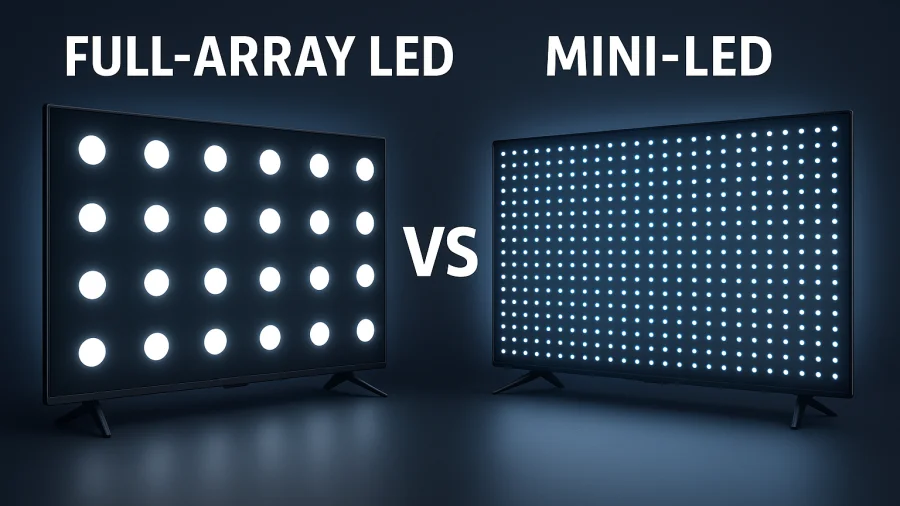
Full Array LED vs Mini-LED: Decoding the TV Backlighting
1440p Resolution: The Definitive Guide to QHD
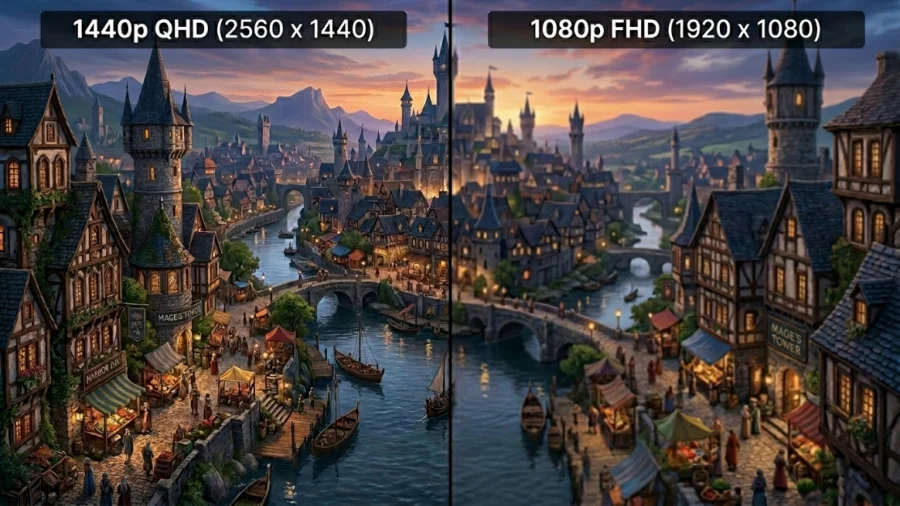
1440p vs 1080p: Which Resolution Should You Choose?
HD vs HDR: Differences and Benefits
HDR10 vs 4K: Showdown for Superior Visuals
QHD vs. OLED: Resolution, Panel Tech, and What Actually Matters
Ultrawide vs. Dual Monitors: Which Setup Is Right for You?
Gorilla Glass and Beyond: The Materials Behind Ultra-Tough Screens
LG 32GQ950-B Review: Nano IPS 1ms (GtG) 144Hz; High-End 4K Gaming
Mini LED vs OLED: Which Display Technology Reigns Supreme?
4K vs 5K Resolution: Which One Do You Really Need?