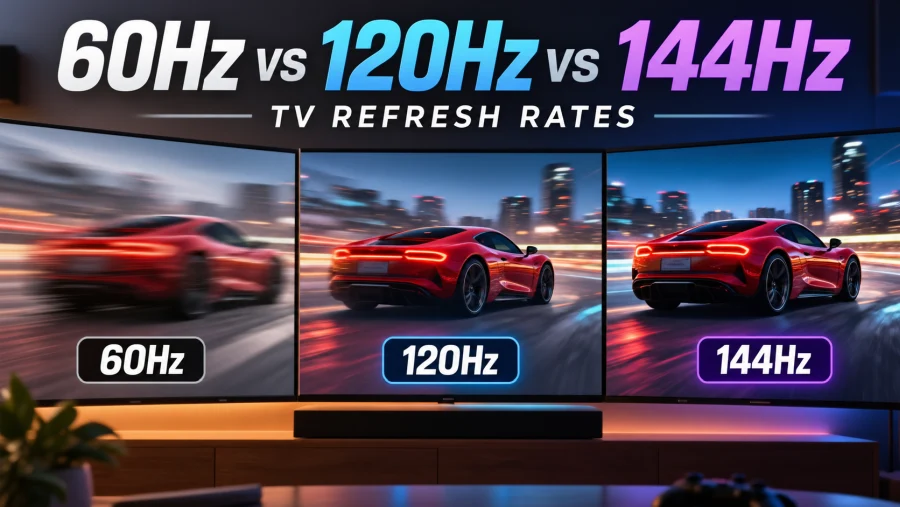
Shopping for a new TV means wading through spec sheets where the numbers keep climbing. 60Hz, 120Hz, and now even 144Hz show up in product listings, and it is hard to tell which ones matter.
The short version: 60Hz is perfectly fine for most movies and streaming, 120Hz is the sweet spot for sports and gaming, and 144Hz mainly benefits PC gamers.
This guide explains what the numbers mean, how manufacturers inflate them, and which one suits the way you watch and play.
What Is a Refresh Rate?
The refresh rate is the number of times per second a screen redraws the image. It is measured in hertz (Hz), so a 60Hz TV refreshes 60 times every second, while a 120Hz model does it 120 times. More refreshes generally mean smoother, clearer motion.
It helps to separate refresh rate from frame rate. The refresh rate describes what the TV is capable of displaying, while the frame rate describes how many frames per second the content actually delivers.
A movie shot at 24 frames per second does not become smoother just because the panel runs at 120Hz. The two have to work together: a high refresh rate pays off only when the source, whether a console, a PC, or a broadcast, sends enough frames to use it.
Native vs. Effective Refresh Rate
Spec sheets can be misleading. A native refresh rate is what the panel can physically do. An effective refresh rate is a marketing figure that usually doubles the native number using processing tricks.
Names like Motion Rate, Motionflow, and TruMotion often describe these tricks, and a TV advertised as “effective 120Hz” is frequently a 60Hz panel underneath.
Those tricks include backlight scanning and black frame insertion, which flash the backlight or slip dark frames between real ones to reduce perceived blur. They can help, but they are not the same as a genuinely faster panel.
To find out what you are really getting, look for the native rate in the full specifications or check independent reviews that measure it. If a listing only shows a brand-specific “motion” number, be skeptical.
60Hz TVs
A 60Hz TV is the standard for a reason. It handles movies, streaming, news, and everyday viewing without trouble, and it is the most affordable option, which means more of your budget can go toward picture quality.
The limitations show up in fast action. Quick camera pans and rapid sports movement can look softer because of motion blur, and gaming is capped at 60 frames per second. For many people that is more than enough, but competitive gamers and sports fans may notice the difference.
A 60Hz set is a good fit if you mostly watch streaming shows and movies, play casually, or want the best picture for the lowest price.
120Hz TVs
A native 120Hz panel is where the experience noticeably improves. Sports look smoother, fast scenes stay clearer, and current consoles such as the PS5 and Xbox Series X can output games at up to 120 frames per second. Many 120Hz models also offer game modes with low input lag, the delay between pressing a button and seeing the result on screen.
There is a quiet benefit for film lovers too. Movies are shot at 24 frames per second, and 24 divides evenly into 120. That means each frame is shown the same number of times, which reduces judder, the slightly uneven stutter that appears during slow pans on panels that cannot divide 24 cleanly.
Look for HDMI 2.1 ports and VRR (variable refresh rate), which lets the TV match the console’s changing frame rate and prevents screen tearing. These features usually come bundled with 120Hz sets. Expect to pay a premium over 60Hz models, though prices have fallen steadily and 120Hz is now common in the mid-range and above.
It is the right choice for sports fans, console gamers, and anyone who wants a TV that will stay current for years.
144Hz TVs
True 144Hz TVs are rare. Most televisions top out at 120Hz, and 144Hz is far more common on PC monitors. A small number of TVs do support it, usually when connected over HDMI 2.1 from a capable graphics card, so check the current lineup and confirm the spec before buying.
The appeal is mostly for PC gamers with powerful graphics cards who can push very high frame rates and want to use a big screen instead of a monitor. There is also a catch: 144 does not divide evenly by 24, so film content may not look as clean as on a 120Hz panel unless the TV handles it well.
The gain over 120Hz is real but small. Going from 60Hz to 120Hz is a big visible jump, while going from 120Hz to 144Hz is a modest refinement that many people will struggle to spot. Unless you are a dedicated PC gamer, 144Hz is rarely worth chasing.
Side-by-Side Comparison
| Feature | 60Hz | 120Hz | 144Hz |
|---|---|---|---|
| Best for | Movies, streaming, casual use | Sports, console gaming, all-round use | High-end PC gaming |
| Max gaming frame rate | 60fps | 120fps | 144fps |
| Motion clarity | Good | Very good | Excellent |
| Film (24fps) handling | Fine | Excellent | Can be uneven |
| Price | Lowest | Mid to high | Highest |
| Availability | Everywhere | Widespread | Rare |
Does Content Even Support It?
This is the question that decides whether you benefit. Most TV shows and movies are produced at 24, 30, or 60 frames per second, so a higher refresh rate will not add frames that were never captured. Some sports broadcasts run at 60fps, and console and PC games are where high frame rates truly shine.
Many TVs try to fill the gap with motion interpolation, which creates extra frames between real ones. The result can make films look unnaturally smooth, a look known as the soap opera effect.
If you find it distracting, turn it off in your picture settings, usually under a motion smoothing or similarly named option. A higher refresh rate on its own does not cause it; the processing does.
Other Specs That Matter as Much (or More)
Refresh rate is only one piece of picture quality. Panel type has a huge influence: OLED panels offer perfect blacks and extremely fast response time, the speed at which pixels change color, which makes motion look sharp even at lower refresh rates. LED and QLED models can be brighter, which helps in sunlit rooms and with HDR.
Also weigh HDMI 2.1 ports, VRR support, and input lag if you game. Brightness, HDR performance, and contrast often have a bigger effect on everyday enjoyment than the difference between 60Hz and 120Hz. A great 60Hz panel can easily beat a mediocre 120Hz one, so do not let one number drive the whole decision.
Which Refresh Rate Should You Choose?
Match the TV to what you actually watch and play.
- Movie and streaming fans: 60Hz is enough. Spend the savings on a better panel, deeper contrast, and strong HDR.
- Sports watchers: 120Hz is worth it for clearer, smoother fast motion.
- Console gamers: choose 120Hz with HDMI 2.1 and VRR to take full advantage of a PS5 or Xbox Series X.
- PC gamers: 120Hz covers most needs, and 144Hz makes sense if you have a powerful graphics card and find a TV that supports it well.
- Budget shoppers: a quality 60Hz TV beats an overpriced set with an inflated “effective” rate.
For most households, 120Hz is the best all-rounder, 60Hz is the smart budget pick, and 144Hz is a niche choice for enthusiasts. Check the native rate, confirm the ports, and buy for your habits rather than the biggest number on the box.
Q&A
Is 60Hz or 120Hz better for eyes?
Neither is clearly better for eye health. Refresh rate on its own does not cause eye strain or damage. Comfort depends more on brightness, screen flicker, viewing distance, room lighting, and how long you watch. That said, 120Hz can feel easier to watch during fast motion because there is less blur. If you get headaches or tired eyes, adjust brightness and take breaks before upgrading.
Can humans tell the difference between 60Hz and 120Hz?
Yes, in the right conditions. The difference is most visible with fast motion, such as sports, scrolling, and games running at 120 frames per second. With 24fps movies or slow content, most people see little or no change. The content has to deliver enough frames for the faster refresh rate to show.
Is 60Hz outdated?
No. 60Hz is still the standard for most TVs and handles movies, streaming, and everyday viewing well. It is outdated only for people who want smoother sports, high frame rate gaming, or the latest console features. For a budget TV or casual viewing, it remains a sensible choice.
Is 60Hz too slow for gaming?
Not for casual play. Many great games run at 60 frames per second, and a 60Hz TV displays them properly. It does limit you to 60fps, which matters for competitive shooters and fast-paced titles where 120fps feels more responsive. If you own a PS5 or Xbox Series X and play games that support 120fps, a 120Hz TV is worth it.
Can the human eye see 144Hz?
Yes, many people can notice the smoothness of 144Hz, especially in fast-moving games. The eye does not see in fixed frames, so there is no hard limit like 60 or 120. However, the improvement over 120Hz is small, and many viewers cannot spot it in normal use. The jump from 60Hz to 120Hz is far more noticeable than from 120Hz to 144Hz.
Read Next
QLED Technology: The Science Behind the Brilliance
QLED vs LED: Which TV Should You Actually Buy?
MSI Optix MAG342CQR Review: 1500R 1ms 3440×1440 144Hz; Curved UltraWide Gaming Experience
HDR10 vs HDR10+ in Gaming: What’s the Difference and Does It Matter?
HDR Gaming: Elevating Entertainment with Realism
HDR On or Off? How to Decide
Direct Lit vs Edge Lit vs Full Array: Decoding TV Backlight Technology
HDR Tone Mapping on TVs
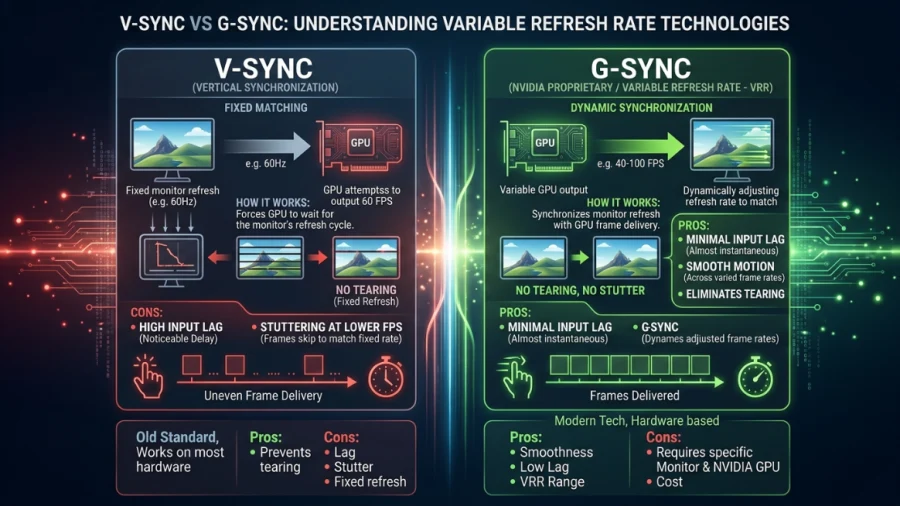
V-Sync vs G-Sync: Which Should You Use?
QHD vs 4K: Right Resolution for Your Display
UWQHD vs 4K: How to Decide Between Ultra-Wide and Ultra-Detail
WQHD vs QHD – Understanding the Differences and Choosing the Right Resolution
1440p vs 1080p: Which Resolution Should You Choose?