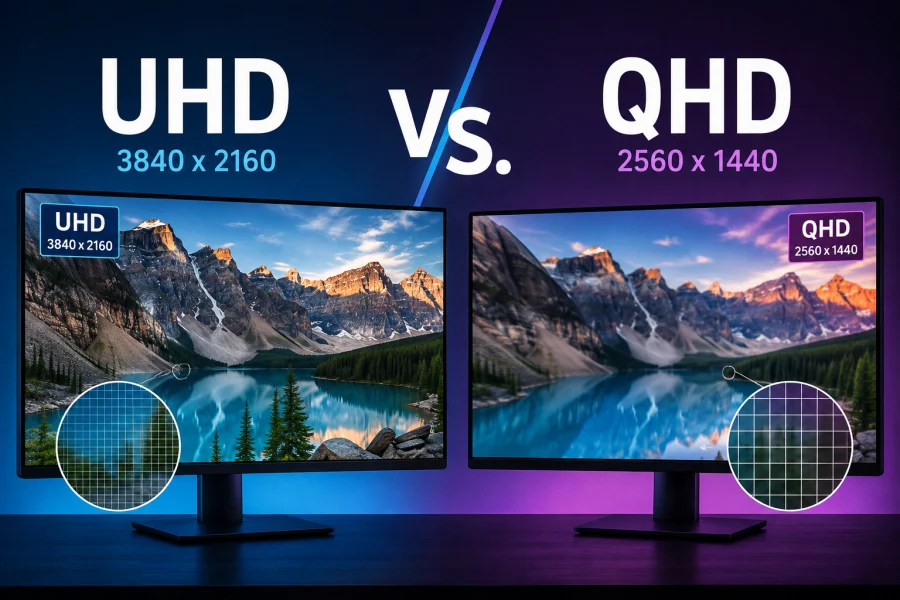
Display technology has advanced rapidly over the past decade, and one of the most common points of confusion for shoppers is resolution.
Walk into any electronics store or browse online for a new monitor or TV, and you’ll see terms like QHD, 4K, and UHD thrown around, often without much explanation of what they actually mean or why they matter.
At its core, resolution refers to the number of individual pixels that make up an image on a screen. More pixels generally mean sharper, more detailed visuals, but resolution alone doesn’t tell the whole story.
Screen size, viewing distance, and hardware capability all play a role in how much of a difference resolution actually makes in daily use.
This article breaks down the differences between QHD and UHD, covering their technical specifications, visual quality, hardware demands, and pricing, so you can decide which is the better fit for your needs.
What Is QHD?
QHD stands for Quad HD, and it refers to a resolution of 2560×1440 pixels, commonly shortened to 1440p. The name comes from the fact that it has four times the pixel count of standard 720p HD resolution.
You’ll often see QHD marketed as “2K,” though this label is somewhat misleading. True 2K resolution, as defined in cinema standards, refers to roughly 2048 pixels of horizontal resolution, which is closer to 1080p than to 1440p.
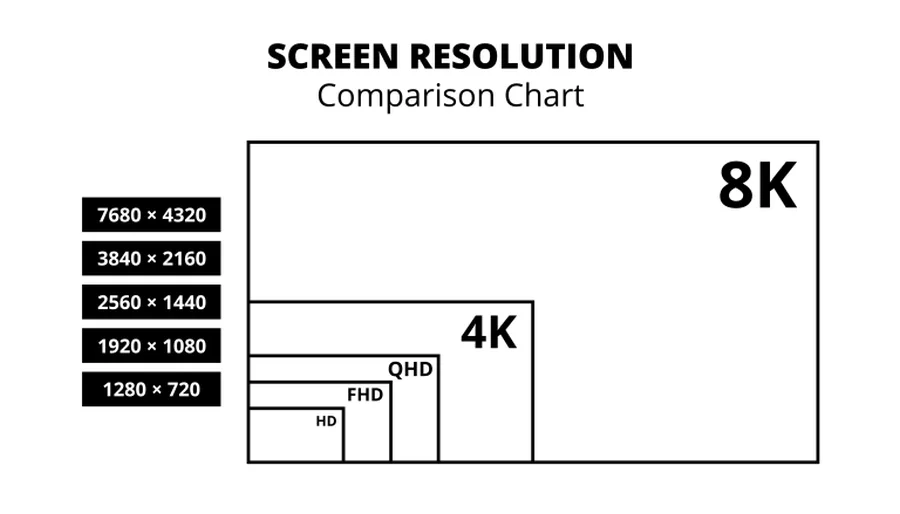
The “2K” branding stuck around in consumer marketing because it sits between 1080p and 4K, but it’s worth knowing the terminology isn’t entirely accurate.
QHD has become especially popular in two categories: gaming monitors and mid-range to premium smartphones.
For gaming, QHD offers a strong middle ground, providing noticeably sharper images than 1080p without demanding the same level of graphics processing power as full 4K. On phones, QHD panels are common in flagship and near-flagship devices, where the smaller screen size makes the resolution boost highly noticeable.
What Is UHD?
UHD stands for Ultra HD, and in the consumer electronics world it typically refers to a resolution of 3840×2160 pixels, widely known as 4K. This resolution has more than eight million pixels, over four times the pixel count of standard 1080p Full HD.
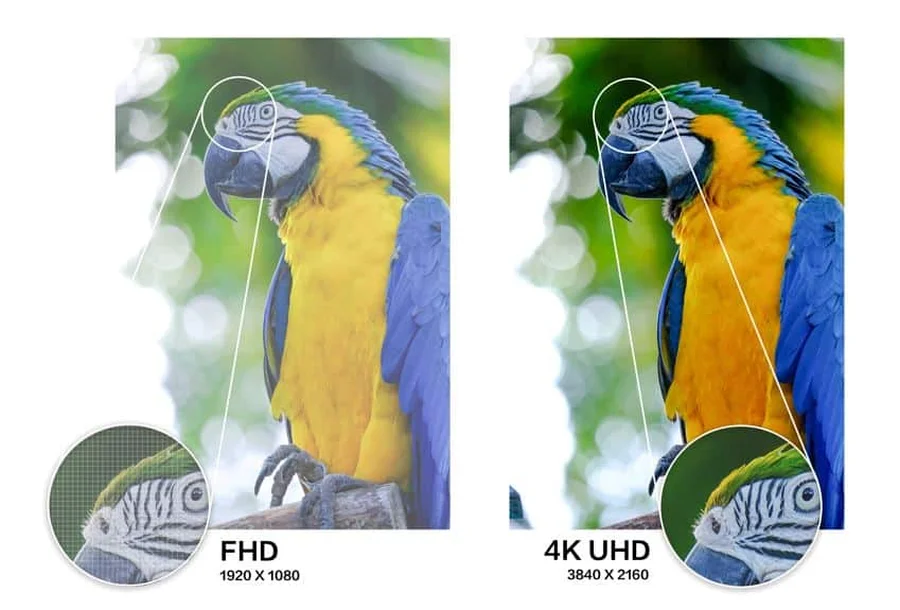
It’s worth distinguishing consumer UHD from true cinema 4K. The film industry standard for 4K is 4096×2160 pixels, a specification used in digital cinema projection.
Consumer UHD is very close to this but not identical, with a slightly different aspect ratio and pixel count. For most practical purposes, though, “UHD” and “4K” are used interchangeably in retail and product listings.
UHD has become the standard for televisions, particularly at mid-range and larger screen sizes, since most streaming platforms and physical media now support 4K content.
It has also grown popular among high-end computer monitors, especially for professionals working in video editing, graphic design, and photography, where extra detail and screen real estate are genuinely useful.
Key Technical Differences
The most fundamental difference between these two standards comes down to pixel count. QHD delivers approximately 3.7 million pixels, while UHD delivers roughly 8.3 million, more than double the total.
This difference becomes more meaningful when you factor in pixel density, measured in pixels per inch (PPI). A 27-inch QHD monitor has a noticeably lower pixel density than a 27-inch UHD monitor, which means text and fine details appear crisper on the UHD screen at the same physical size.
However, pixel density requirements shift depending on screen size. A 65-inch UHD television has a lower PPI than a 27-inch UHD monitor, since the same number of pixels is spread across a much larger surface.
Aspect ratio is another factor to consider, though it’s less variable than pixel count. Both QHD and UHD standard displays typically use a 16:9 aspect ratio, though ultrawide QHD monitors (often 21:9 or wider) have become common in gaming and productivity setups, adding another layer of variation to compare.
Visual Quality Comparison
Sharpness is the most obvious visual difference between QHD and UHD, but how noticeable it actually is depends heavily on viewing distance and screen size.
On a small screen viewed up close, such as a 24 to 27-inch monitor sitting a couple feet from your face, the jump from QHD to UHD can be quite apparent, particularly for text clarity and fine image detail.
On larger screens viewed from farther away, such as a TV in a living room, the difference becomes less pronounced. Many viewers seated eight or more feet from a 55-inch television struggle to visually distinguish QHD from UHD content, simply because the eye can’t resolve that level of detail from that distance.
It’s also important to separate resolution from other image quality factors like color accuracy and HDR (High Dynamic Range) support.
A UHD screen with poor color calibration and no HDR can actually look worse than a well-tuned QHD panel with strong contrast and accurate colors. Resolution is one piece of the visual quality puzzle, not the whole picture.
Performance and Hardware Requirements
For gamers, resolution has a direct and significant impact on hardware demands. Rendering games at UHD requires substantially more graphics processing power than QHD, since the GPU has to calculate and render more than double the pixels every frame.
This means achieving high, stable frame rates at UHD typically requires a more expensive graphics card, while QHD offers a more attainable balance of visual quality and performance for a wider range of hardware budgets.
Video content and storage needs follow a similar pattern. UHD video files are significantly larger than QHD files at the same bitrate and length, which affects both local storage requirements and streaming data usage.
Streaming a movie in 4K UHD can use noticeably more data per hour compared to 1440p or 1080p streams, a consideration worth keeping in mind for anyone with capped internet plans or slower connections.
Price Comparison
Generally speaking, UHD displays and TVs cost more than their QHD counterparts, though the price gap has narrowed considerably as 4K technology has become mainstream. Entry-level UHD televisions are now often comparably priced to QHD monitors, particularly during sales events.
For monitors, the price difference tends to be more noticeable, especially at larger sizes or higher refresh rates, since manufacturing a panel with more pixels while maintaining fast response times and high refresh rates is more technically demanding.
It’s worth considering the concept of diminishing returns here. Beyond a certain point, paying extra for UHD may not translate into a meaningfully better experience, particularly if your screen is small, your viewing distance is far, or your hardware can’t fully take advantage of the extra pixels anyway.
Which Should You Choose?
For competitive or fast-paced gaming, many enthusiasts still favor QHD, since it allows for higher frame rates without requiring top-tier graphics hardware, striking a practical balance between visual fidelity and performance.
For content creation, media consumption, and professional work involving detailed visuals, such as photo or video editing, UHD is generally the better choice, offering more screen real estate and finer detail that can genuinely improve workflow and output quality.
Ultimately, the right choice depends on a combination of factors: your screen size, budget, primary use case, and the hardware you already own or plan to pair with your display. Neither resolution is universally “better,” they simply serve different priorities.
Q&A
Is UHD the same as 4K?
For practical purposes, yes. UHD refers to a resolution of 3840×2160 pixels, which is what most brands label as “4K” on TVs and monitors. The only technical distinction is with true cinema 4K (4096×2160), a slightly different standard used in film projection. In retail and everyday use, UHD and 4K mean the same thing.
Which monitor is better, UHD or QHD?
It depends on your priority. UHD offers sharper detail and more screen real estate, making it better suited for content creation, photo and video editing, and general productivity. QHD offers a strong balance of clarity and performance, making it a popular choice for gaming, especially at higher refresh rates. Neither is universally better; it comes down to your use case and budget.
Is QHD enough for gaming?
Yes, QHD is often considered a sweet spot for gaming. It delivers a noticeable upgrade in sharpness over 1080p while being far less demanding on your GPU than UHD, making it easier to hit high, stable frame rates without needing top-tier hardware. Many competitive and fast-paced gamers actually prefer QHD over UHD for this reason.
Can the human eye tell the difference between 1440p and 4K?
It depends on screen size and viewing distance. On smaller screens viewed up close, like a 27-inch monitor, the difference is fairly noticeable, especially in text clarity and fine detail. On larger screens viewed from farther away, like a TV across a living room, the difference becomes much harder to perceive, since the eye can’t resolve extra detail at that distance.
Is QHD enough for 27 inches?
Yes, QHD works well at 27 inches, delivering a solid pixel density that keeps text and images looking sharp for everyday use, work, and gaming. While a 27-inch UHD display will look noticeably crisper up close, QHD remains a popular and practical choice at this size, particularly for users who want strong image quality without the higher hardware demands of UHD.
Read Next

Gorilla Glass and Beyond: The Materials Behind Ultra-Tough Screens
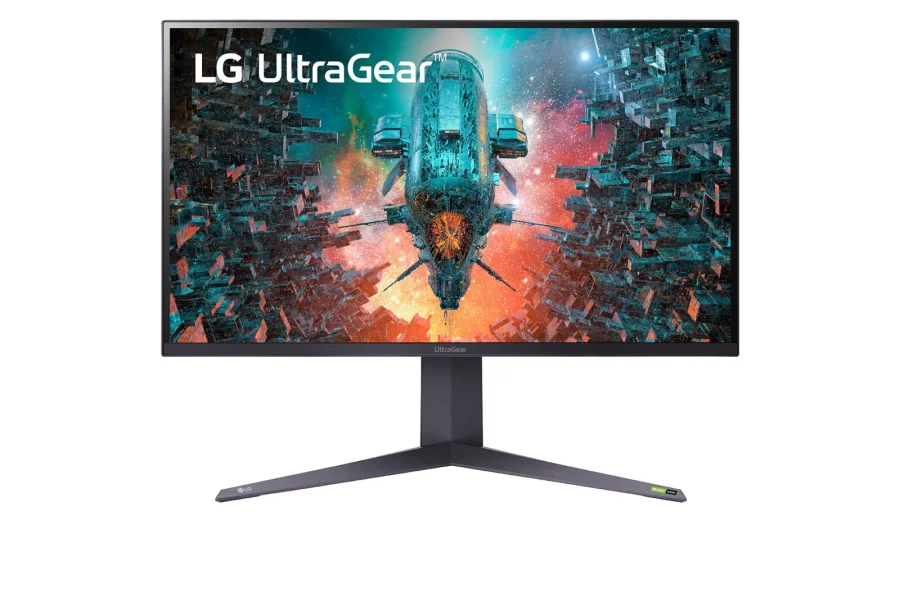
LG 32GQ950-B Review: Nano IPS 1ms (GtG) 144Hz; High-End 4K Gaming
QLED vs UHD: What’s the Difference and Which One Actually Matters?
HDR On or Off? How to Decide
WQHD vs QHD – Understanding the Differences and Choosing the Right Resolution

Hybrid Log–Gamma (HLG): Combining SDR and HDR
Local Dimming: Enhancing Contrast on TVs and Monitors

Wide Color Gamut (WCG): New Standard for Color Precision
QLED Technology: The Science Behind the Brilliance
HDR10 vs HDR10+ vs Dolby Vision: HDR Formats Explained
Full Array Local Dimming: The Key to Superior Contrast

144Hz vs 240Hz: Which Refresh Rate Actually Matters?
Full Array LED vs OLED: Which Display Technology is Right for You?