If you own an OLED television, you may have noticed a message pop up on screen mentioning a “pixel refresh” or “panel refresh,” sometimes followed by a period where the TV goes dark, shows a gray screen, or simply refuses to let you change the input until the process finishes.
This can be confusing, especially if it happens without warning. This article explains what pixel refresh actually is, why OLED panels need it, how it works across different brands, and what you should realistically expect it to do for your screen’s lifespan.
What Is OLED Pixel Refresh?
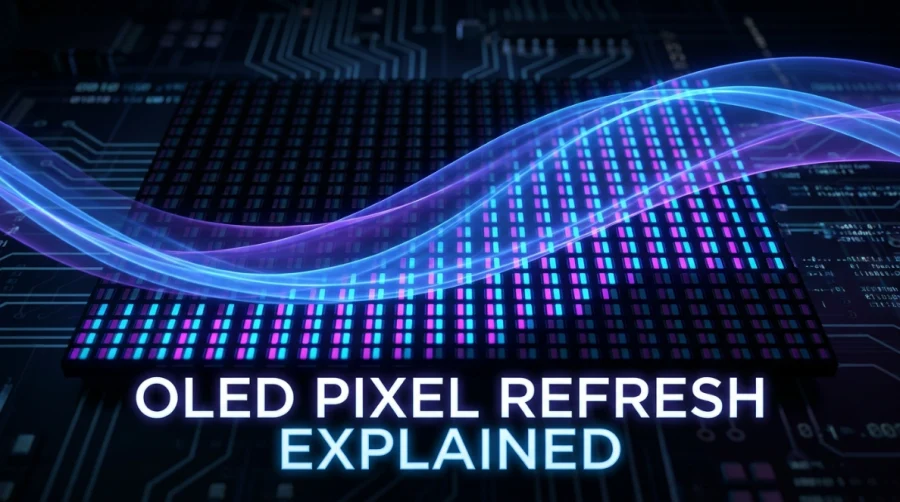
Pixel refresh is a built-in maintenance routine designed to even out the wear on the millions of individual light-emitting elements that make up an OLED display.
Each pixel in an OLED panel produces its own light, and over time, some pixels degrade faster than others depending on how much they’ve been used and at what brightness. The refresh cycle measures this uneven wear and applies small corrections so the panel continues to display images uniformly.
You may also see this called a compensation cycle. It’s the same underlying mechanism as pixel refresh, just described by a different name depending on the manufacturer, or used to distinguish the shorter, more frequent version from a longer, more intensive one.
Both require the TV to be idle or in standby to run to completion, and neither operates while you’re actively watching.
Why OLED Panels Need This (The Root Cause)
The need for pixel refresh comes down to the physical nature of OLED technology.
Unlike LED-backlit LCDs, which use a uniform backlight and liquid crystals to block or pass light, OLED panels rely on organic compounds that emit light directly when electricity passes through them. These organic materials degrade with use, and the degradation is not uniform.
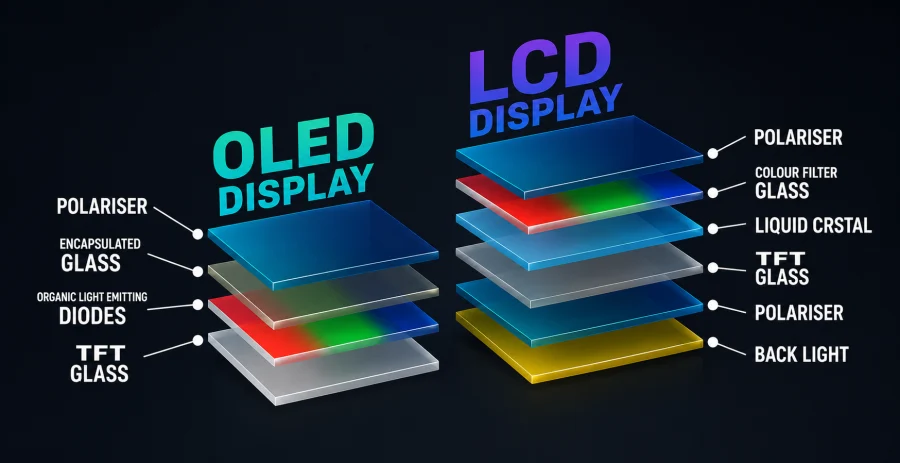
Blue subpixels typically degrade faster than red or green ones, since blue OLED materials tend to be less durable and often need to run at higher intensity to produce the same perceived brightness.
Over months and years of use, this uneven aging can cause older pixels to emit slightly less light than newer or less-used ones, even when fed an identical signal.
This gradual, uneven degradation is the underlying mechanism behind burn-in, the permanent ghosting of static images like channel logos, news tickers, or video game HUDs that have stayed in the same place for extended periods.
Pixel refresh doesn’t stop this aging process, but it exists specifically to slow its visible effects and correct for it where possible.
How the Process Works
When a pixel refresh cycle runs, the television’s internal sensors evaluate the luminance output of every pixel across the panel. The screen often displays a gray, white, or checkerboard-like pattern during this evaluation, or it may go completely dark.
Some TVs show a progress bar or a message explaining that maintenance is in progress and asking the owner not to unplug the set.
The duration varies. A short automatic refresh triggered after a set number of usage hours might take just a few minutes. A deeper, manually initiated cycle, especially one aimed at correcting visible retention, can take anywhere from twenty minutes to several hours.
Most manufacturers design these longer cycles to run overnight or whenever the TV has been left in standby for an extended period, so they don’t interrupt normal viewing.
Triggers generally fall into two categories. Automatic triggers are based on cumulative usage, often kicking in after every four hours of total on-time, and only run when the TV is off or idle.
Manual triggers let the owner start a refresh on demand, usually through a settings menu, which is useful if you notice early signs of image retention and want to address it right away rather than waiting for the next scheduled cycle.
Manufacturer Differences
Every major OLED manufacturer implements this feature, though the naming and specifics vary.
LG, one of the largest OLED panel producers, calls its version Pixel Refresher. It can be run manually from the support menu and is also scheduled to trigger automatically.
LG recommends leaving the TV plugged in and in standby so the automatic cycle can complete uninterrupted.
Sony’s OLED sets, which use LG-manufactured panels, include a similar function often labeled as panel refresh or screen refresh within the settings, with comparable automatic scheduling behavior.
Samsung’s OLED lineup, which uses QD-OLED panels rather than traditional WOLED panels, includes its own version of this maintenance cycle as well, sometimes bundled under general picture care or panel care settings.
Panasonic and other OLED TV makers that source panels from LG Display generally include the same underlying technology, though the menu wording and default scheduling intervals can differ slightly by brand and model year.
Is It Safe to Interrupt?
Interrupting a pixel refresh cycle is not typically dangerous to the television, but it can prevent the maintenance from completing properly, which may mean any corrections in progress are not saved.
Most manufacturers explicitly recommend not unplugging the TV or cutting power at the wall while a cycle is running, since this differs from just turning off the display with the remote.
If a cycle is interrupted, the TV will usually attempt to resume or restart the process the next time it has an opportunity, so there’s little long-term harm from an occasional interruption.
However, making a habit of unplugging the set immediately after use can prevent the automatic maintenance from ever running, which may allow uneven wear to accumulate more visibly over time.
Pixel Refresh vs Compensation Cycle vs Screen Calibration
These terms often get mixed up, but only one of the distinctions here is a real one.
Pixel refresh and the compensation cycle are the exact same underlying maintenance mechanism. They aren’t two separate features working alongside each other, they’re the same process, just referred to by different brand-specific names, or split into categories based on length and intensity.
The short, automatic version, typically triggered after around four hours of accumulated on-time, runs once the TV is switched into standby and is often what manufacturers label a compensation cycle.
The longer, more thorough version, whether triggered automatically after many more accumulated hours or started manually from a settings menu, is usually what gets labeled a pixel refresher or deep panel refresh. Both versions require the screen to be idle, and neither runs while you’re actively watching.
Screen calibration, by contrast, is a genuinely different process with nothing to do with correcting for organic material degradation.
Calibration refers to adjusting color accuracy, gamma, and white balance settings, either through a professional calibrator, a built-in setting, or a third-party tool, to match a target picture standard. It’s a picture quality adjustment rather than a hardware maintenance routine.
How Often Should You Run It?
For most users, the automatic scheduling built into the TV is sufficient. These cycles are calibrated by the manufacturer based on real-world usage data and generally strike a reasonable balance between panel maintenance and convenience.
Manual runs make the most sense in specific situations, such as after a long gaming session with a static HUD, extended use of a single news channel with a persistent logo and ticker, or any stretch of time where the same image sat on screen for hours without variation.
In these cases, running a manual refresh as soon as possible can help address early, faint retention before it becomes a more permanent burn-in issue.
There’s little benefit to running the cycle more often than recommended. Since the process is triggered by actual usage hours, running it excessively will not meaningfully extend the panel’s life and may simply be an unnecessary use of standby time.
Does It Actually Prevent Burn-In?
Pixel refresh can catch and correct early, faint image retention, the temporary kind of ghosting that fades with normal, varied use. It is genuinely effective at addressing this stage of wear.
However, it cannot reverse permanent burn-in, meaning severe, long-term degradation where the organic material in specific pixels has broken down to a point where no compensation can restore its original brightness.
Once burn-in reaches this stage, pixel refresh cycles will not repair the damage, though they may still help prevent it from getting visibly worse in unaffected areas of the panel.
Realistically, pixel refresh is a preventative and corrective tool for minor, everyday wear, not a cure for the kind of severe retention that comes from displaying a completely static image for many consecutive hours or days.
Best Practices for OLED Longevity
Pixel refresh works best as one part of a broader approach to OLED care.
Complementary habits include enabling built-in screen savers or auto-dimming for static content, avoiding maximum brightness for long stretches when not necessary, varying the content displayed rather than leaving the same channel or app open for extended periods, and allowing the TV enough standby time for automatic maintenance cycles to run.
Combined with periodic pixel refresh cycles, these habits go a long way toward keeping an OLED panel looking uniform for years of use.
Q&A
Should I turn on pixel refresh on OLED?
Yes, leave it enabled. Pixel refresh is a manufacturer-designed maintenance feature, not an optional add-on, and disabling it (where possible) only removes a safeguard against uneven pixel wear. The automatic scheduling is built to run during standby, so it won’t interrupt your viewing.
How to refresh pixels on OLED?
Most TVs run pixel refresh automatically after a set number of usage hours, but you can also trigger it manually. Go into the TV’s settings menu, usually under Support, Self Diagnosis, or Picture Care, and look for an option like Pixel Refresher or Panel Refresh. Selecting it starts the cycle, and the TV should be left alone and plugged in until it finishes.
How long does an OLED pixel refresher take?
It depends on the type of cycle. A short automatic refresh triggered after routine usage hours typically takes a few minutes. A longer, more thorough cycle, especially one run manually to address visible retention, can take anywhere from around 20 minutes up to several hours, which is why manufacturers often recommend running it overnight.
Does OLED still burn-in 2026?
Yes, burn-in is still possible on current OLED panels, though modern sets are considerably more resistant than earlier generations thanks to improved organic materials, better heat management, and more aggressive pixel refresh and compensation routines. Under normal, varied viewing, burn-in is unlikely, but extended static content, such as a fixed logo or HUD at high brightness for many consecutive hours, can still cause it.
When should I run pixel refresher?
Rely on the automatic schedule for everyday use. It’s worth running it manually after a session involving prolonged static content, like extended gaming with a fixed HUD or hours on a single channel with a persistent logo and ticker, so any early, faint retention gets addressed before it has a chance to become permanent.
Read Next

HDR vs UHD: Enhancing Resolution and Contrast for the Best Visuals
ASUS ROG Strix OLED XG27AQDMG Review: QHD, Glossy OLED, 240Hz, 0.03ms, 99% DCI-P3; A Brilliant, Glossy Victory

Mini LED vs OLED: Which Display Technology Reigns Supreme?
HD vs HDR: Differences and Benefits

2K Resolution Size: Understanding the Midpoint Between HD and 4K
HDR10 vs HLG: Comparing HDR Technologies
MSI G2712 Review: IPS 1920×1080 1ms 170Hz; Blend of Performance and Value

Full Array LED vs OLED: Which Display Technology is Right for You?
What is My Screen Resolution
QLED vs OLED: Understanding the Future of Television Display Technology
FHD vs 4K: Is the Upgrade Worth It?
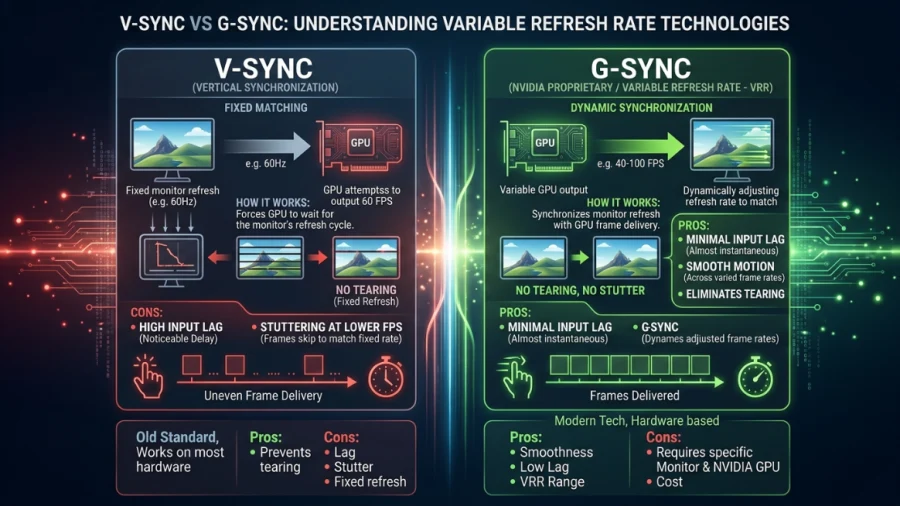
V-Sync vs G-Sync: Which Should You Use?
HDR10 vs HDR10+ in Gaming: What’s the Difference and Does It Matter?