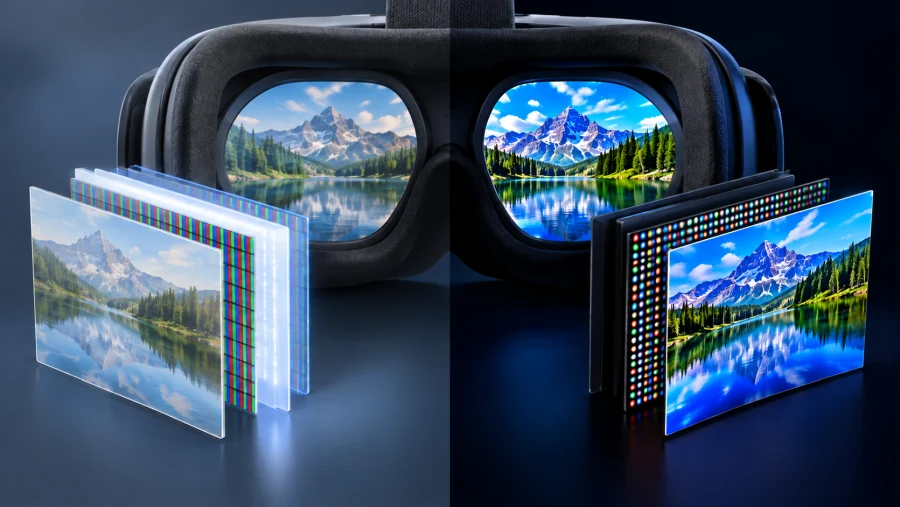
Two headsets can advertise similar resolution and still look very different once you put them on. Much of that difference comes down to the panel inside. Most modern virtual reality hardware relies on one of two display types: LCD in mainstream models and micro-OLED in premium ones.
Each approach shapes sharpness, contrast, motion handling, size and, not least, price. Understanding the trade-offs helps you read a spec sheet more critically, and it explains why a headset that costs several times more can look so much better in certain scenes.
Two panel types, two very different designs
LCD panels, short for liquid crystal displays, do not produce light themselves. They depend on a backlight that shines through a layer of liquid crystals and color filters, and each pixel controls how much of that light gets through.
The technology is mature, cheap to manufacture at scale and bright, which is why it dominates the mainstream market. The Meta Quest 3 and Valve’s Steam Frame both use LCD panels.
Micro-OLED, also known as OLED-on-silicon, works differently. Each pixel emits its own light, and the organic layer is built directly on a silicon wafer rather than on glass. That manufacturing approach allows far smaller pixels packed into a very compact panel. Apple’s Vision Pro and Samsung’s Galaxy XR both use this technology.
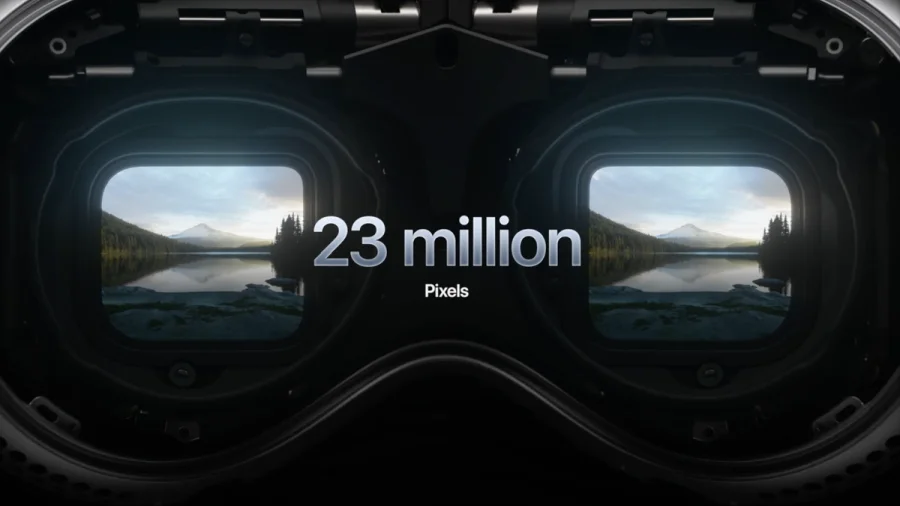
The difference becomes clear when comparing today’s wide range of VR headsets, from budget-friendly LCD models to premium micro-OLED designs. The panel is one of the key factors that sets these devices apart, often placing them in entirely different product categories.
Sharpness and pixel density
Sharpness is where micro-OLED makes its strongest case. Because its pixels are so small, a micro-OLED panel can reach very high pixel density while staying small enough to sit behind a compact lens.
That matters in VR because the lenses magnify the display. At that magnification, the gaps between pixels become visible as the screen-door effect, a faint grid laid over the image. Higher density shrinks those gaps until they largely disappear.
The numbers show the difference. The Vision Pro uses 3660 by 3200 pixels per eye, while the Quest 3 offers 2064 by 2208 and the Steam Frame 2160 by 2160. Raw resolution does not tell the whole story, though.
Pixels per degree (PPD), which measures how many pixels cover each degree of your field of view, is a better guide to perceived clarity. A wider field of view spreads the same pixels more thinly, so a headset can have a high resolution and still look softer than expected.
Lens quality also plays a role. Poor optics can blur even an excellent panel. Even so, micro-OLED headsets generally land well above their LCD rivals in PPD, and you notice it most when reading small text or looking at fine detail.
Contrast, black levels and HDR
Contrast is the other big difference. An OLED pixel can switch off completely, which produces true blacks. An LCD cannot fully block its backlight, so dark scenes tend to look dark grey instead.
Inside a headset, where your eyes adapt to a closed, dark environment, that glow is easy to notice. Starfields, dim interiors and cinema modes expose it quickly.
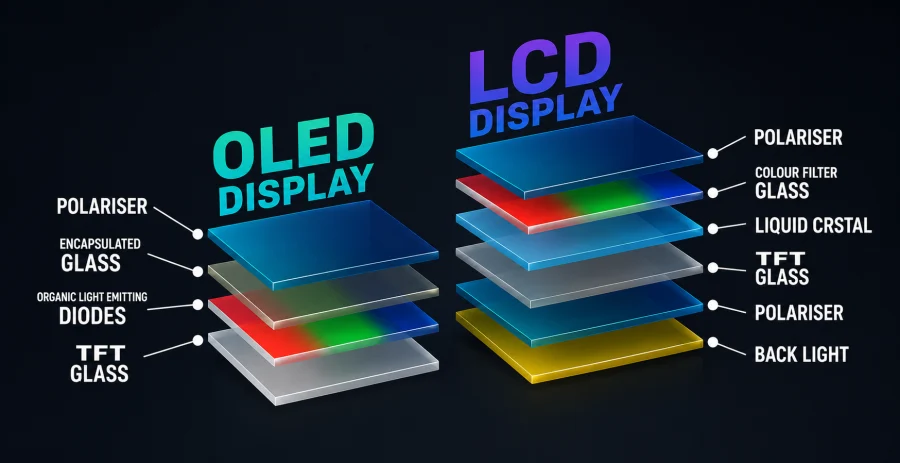
Some LCD headsets reduce the problem with local dimming, which dims the backlight in separate zones. It helps, but the zones are far larger than individual pixels, so bright objects on dark backgrounds can show halos or blooming around them.
Not every LCD headset even attempts it. According to early reporting, the Steam Frame has no local dimming and no HDR support, which is a good example of where mainstream LCD still falls short.
Micro-OLED’s per-pixel control is what makes HDR convincing in VR. Bright highlights can sit right next to deep shadows without washing each other out, and that range adds depth and realism that LCD struggles to match.
Motion clarity and response time
Motion is the area where the two technologies are much closer. Micro-OLED has a very fast response time, so pixels change state almost instantly and leave little smearing behind. LCD was once clearly behind here, but modern fast-switch LCD panels have narrowed the gap considerably.
Today, refresh rate and how the image is driven matter at least as much as the panel type. Current headsets typically run from 90 Hz up to 144 Hz, and the Steam Frame supports up to 144 Hz as an experimental option.
So an LCD headset should not be written off as blurry in motion. A sharp image also depends on the system delivering frames consistently, which means rendering performance and tracking latency affect clarity just as much as the display does.
Size, weight and optics
Panel type also influences the physical design of a headset. Micro-OLED panels are small and thin, which gives designers more freedom to shrink the optics and rebalance the device on your head.
Many modern designs pair compact panels with pancake lenses, slim folded optics that cut the depth of the headset significantly. The trade-off is that pancake lenses lose a lot of light, so brightness becomes a design constraint, and efficient emitters and good optics are needed to compensate.
Pancake lenses are not exclusive to micro-OLED, either. The LCD-based Steam Frame uses them too. It is also worth remembering that the final weight of a headset depends on the battery, strap and chassis as much as on the panel, so a smaller display does not automatically mean a lighter product.
The trade-off: price and availability
The cost gap is the main reason LCD still dominates. The Quest 3 launched at around $500, while the Galaxy XR costs roughly $1,800 and the Vision Pro launched at $3,499. Prices change, so check current figures before buying, but the pattern is consistent.
Micro-OLED is expensive because it is made with semiconductor-style processes on silicon wafers, where yields and volumes are still limited.
LCD benefits from a huge and mature supply chain. For many gamers, the extra image quality is hard to justify when a much cheaper headset runs the same games. For enthusiasts, professionals and anyone who watches a lot of video in VR, the premium can make more sense.
What comes next
The next candidate is micro-LED, which promises high brightness, strong efficiency and OLED-like contrast. It is difficult to manufacture at the tiny sizes VR requires, and it has not reached consumer VR headsets yet. For now it appears mostly in AR glasses and prototypes.
In the meantime, micro-OLED itself is likely to get cheaper. Market analysts such as IDTechEx expect OLED-on-silicon to become a leading VR display technology by 2034, as more manufacturers scale up production. That could eventually bring its main advantages to more affordable headsets.
Which panel should you choose?
If you want the best value, LCD is the practical choice. It is bright, mature and good enough for most gaming, and modern fast-switch panels handle motion well. If you care most about image quality, such as crisp text, deep blacks and HDR, micro-OLED is the clear winner, provided you can afford it.
Either way, the panel is only one part of the picture. Lenses, rendering, refresh rate and tracking all shape what you actually see, so judge a headset on the full package instead of a single spec. The display technology sets the ceiling for image quality, and the rest of the system determines how close you get to it.
Read Next
QLED Technology: The Science Behind the Brilliance
Full Array LED vs Mini-LED: Decoding the TV Backlighting

PHOLED vs OLED: Understanding the Differences and Advantages
Full Array Local Dimming: The Key to Superior Contrast
HDR10 Pro: LG’s Enhanced HDR Processing Technology

Best VPN for Security, Privacy, and Unblocking Content
QLED vs UHD: What’s the Difference and Which One Actually Matters?

2K Resolution Size: Understanding the Midpoint Between HD and 4K
ASUS ROG Strix OLED XG27AQDMG Review: QHD, Glossy OLED, 240Hz, 0.03ms, 99% DCI-P3; A Brilliant, Glossy Victory
Dell G2422HS Review: 165Hz 1ms 1920 x 1080 IPS; Budget Gamer’s Delight
Direct Lit vs Edge Lit vs Full Array: Decoding TV Backlight Technology
MSI G2712 Review: IPS 1920×1080 1ms 170Hz; Blend of Performance and Value
V-Sync vs G-Sync: Which Should You Use?