Choosing a display used to be simple. You picked the biggest screen you could afford and called it a day. But as monitor technology has advanced, resolution has become one of the most important factors in the buying decision, whether you are a gamer, a creative professional, or just someone who wants the sharpest picture possible.
Two resolutions that often come up in the same conversation are 4K and 5K. They sound similar, and to the untrained eye they might even look similar, but the differences between them matter quite a bit depending on how you plan to use your display.
This article breaks down everything you need to know about both resolutions, from the raw numbers to the real-world impact on your workflow and wallet.
Resolution Basics
Before diving into the comparison, it helps to understand what resolution actually means. A display’s resolution refers to the total number of pixels it can show, expressed as width times height. More pixels generally means a sharper, more detailed image, but the relationship is not perfectly linear. Screen size plays a major role too.
A closely related concept is pixel density, measured in pixels per inch (PPI). Two monitors can have the same resolution but look very different if one is 24 inches and the other is 32 inches.
The smaller screen packs those pixels into a tighter space, producing a crisper image. This is why a 5K display at 27 inches can look noticeably sharper than a 4K display at 32 inches, even though the jump in raw pixel count might seem modest on paper.
Understanding these two concepts together gives you a much more accurate picture of what a monitor will actually look like in use.
4K vs 5K: The Key Differences
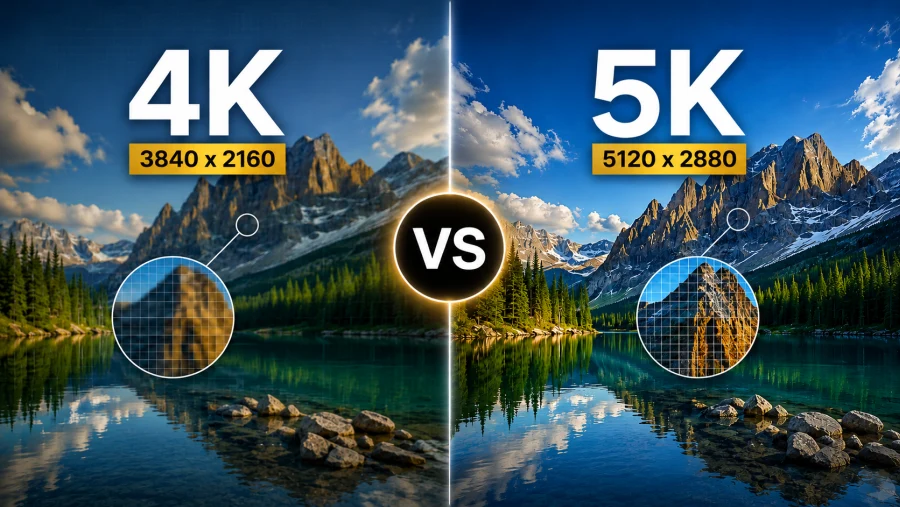
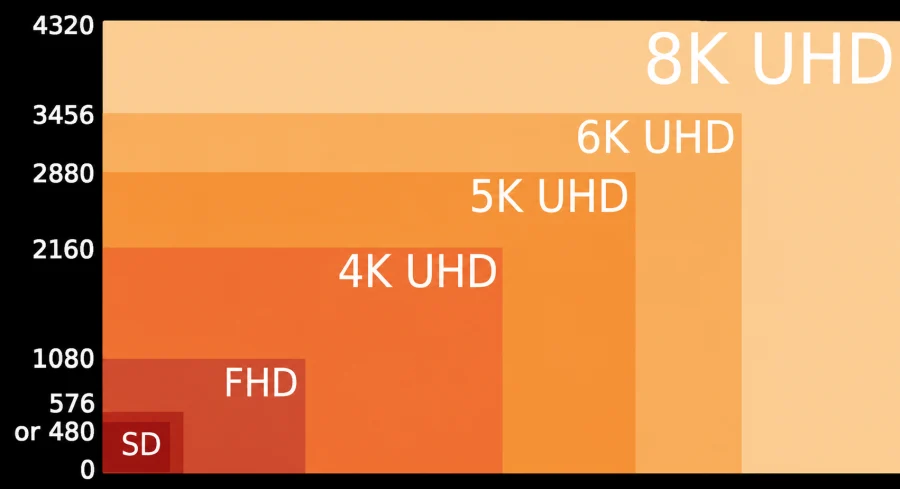
4K resolution sits at 3840 x 2160 pixels, which works out to roughly 8.3 million pixels total. There is also a cinema variant called DCI 4K at 4096 x 2160, but for consumer monitors and televisions, the 3840 x 2160 standard is what you will almost always encounter. At 27 inches, a 4K monitor delivers around 163 PPI, which is sharp enough that most people cannot distinguish individual pixels at a normal viewing distance.
5K resolution sits at 5120 x 2880 pixels, totaling approximately 14.7 million pixels. That is nearly 77 percent more pixels than 4K. At 27 inches, which is the most common size for 5K monitors, pixel density jumps to around 218 PPI. The difference is genuinely visible when you sit close to the screen, as text appears razor-sharp and fine details in images or design work are noticeably cleaner.
Beyond sharpness, 5K displays tend to offer wider color gamuts, often covering the P3 wide color space used in professional photography and video production. 4K monitors vary widely in this regard, with some budget options sticking to sRGB and higher-end models reaching P3 or even AdobeRGB.
For color-critical work, the display quality matters as much as the resolution, and 5K monitors tend to occupy the premium tier where both are prioritized.
One area where 4K has a clear edge is content availability. Streaming services, games, Blu-ray discs, and online video platforms have all converged on 4K as the high-resolution standard.
Finding native 5K content is difficult because it simply does not exist at scale. 5K displays compensate for this by downscaling 4K content cleanly, but you are not getting a native 5K source in most everyday scenarios.
Hardware and Performance
Driving a high-resolution display puts real demands on your computer, and the gap between 4K and 5K is significant. A modern GPU like the NVIDIA RTX 4070 or AMD RX 7800 XT can handle 4K gaming at solid frame rates in most titles.
For productivity tasks like web browsing, document editing, or even light video editing, almost any mid-range card from the last several years handles 4K without breaking a sweat.
5K is a different story. The pixel count is steep enough that gaming at native 5K resolution requires a top-tier GPU to achieve smooth frame rates, and even then you may need to dial back settings in demanding titles.
Most people who use 5K monitors for gaming actually do so at lower resolutions or with upscaling technologies, letting the display interpolate the image to fill the screen. For this reason, 5K is not a natural fit for gaming-focused setups.
Where 5K hardware demands make more sense is in professional creative workloads. Video editing software like DaVinci Resolve or Premiere Pro benefits enormously from the extra screen real estate, letting editors see more of their timeline, color grading panels, and preview windows simultaneously.
The GPU requirements for this kind of work are high regardless of resolution, so professionals already investing in workstation-grade hardware are less likely to notice the incremental cost of driving 5K.
RAM and CPU demands do not differ dramatically between the two resolutions for most tasks, but applications that render previews or process large image files will naturally be slower when working with 5K assets compared to 4K.
Price and Value
The pricing gap between 4K and 5K monitors is substantial. A solid 4K monitor from a reputable brand can be found anywhere from $300 to $800 for a consumer-grade display, with professional models pushing into the $1,000 to $2,000 range.
The market is competitive and mature, meaning buyers have a wide range of options at multiple price points.
5K monitors are far more limited in selection and far more expensive. Apple’s 27-inch Studio Display sits at $1,599, and their Pro Display XDR, a 6K monitor starting at $4,999, sits at the top of their lineup.
Third-party 5K options from LG and Dell exist but still tend to start above $1,000 and lack the same ecosystem integration that Apple users benefit from. For Windows users, the value case for 5K is harder to make when excellent 4K options exist at a fraction of the price.
For general consumers, the price-to-performance ratio of 4K is simply better. You get a sharp, vibrant display, broad content compatibility, and plenty of GPU options to pair with it, all without the premium attached to 5K hardware.
Professionals who depend on pixel-perfect accuracy and wide color reproduction may find the investment justifiable, but it requires an honest assessment of your workflow needs.
Which One Should You Choose?
The answer largely comes down to what you do with your computer.
If you are a gamer, a home theater enthusiast, or someone who primarily uses their computer for general productivity, 4K is the right choice. The content ecosystem supports it, the hardware to drive it is affordable and widely available, and the visual quality is genuinely excellent. You will not feel like you are missing out.
If you are a photographer, graphic designer, video editor, or anyone whose work demands exceptional sharpness and color fidelity, 5K deserves serious consideration, particularly if you are already in the Apple ecosystem.
The extra pixel density makes a real difference when retouching photos or evaluating fine details in design work, and the displays that offer 5K tend to pair it with premium panel quality.
Conclusion
4K and 5K are both impressive resolutions, but they serve different audiences. 4K is the mainstream standard, offering great image quality, broad content support, and excellent value across a wide range of hardware.
5K is a specialist tool, delivering superior sharpness and color performance for professionals who need every pixel to count and are willing to pay for it.
Before buying, ask yourself what you actually do on your computer every day. If your answer involves creative work where precision matters, the case for 5K is strong. For everyone else, 4K delivers everything you need without the premium price tag.
Read Next

MLA OLED: Brighter Displays with Micro Lens Array
HD vs FHD: Explanation
HDR10 vs HDR10+ in Gaming: What’s the Difference and Does It Matter?
UWQHD vs 4K: How to Decide Between Ultra-Wide and Ultra-Detail
Dell G2422HS Review: 165Hz 1ms 1920 x 1080 IPS; Budget Gamer’s Delight
FHD vs 4K: Is the Upgrade Worth It?
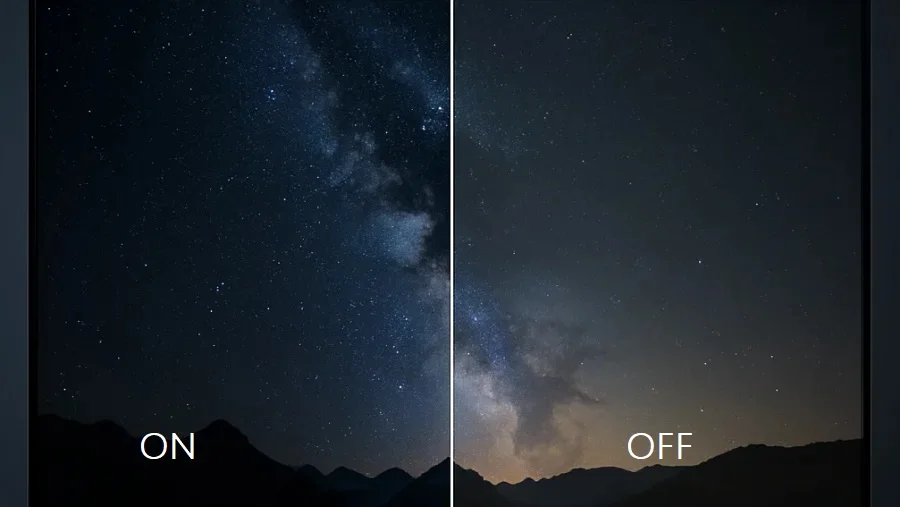
Local Dimming On or Off: A Guide to the Best Settings

LTPO OLED Display Technology: AMOLED Gets Adaptive
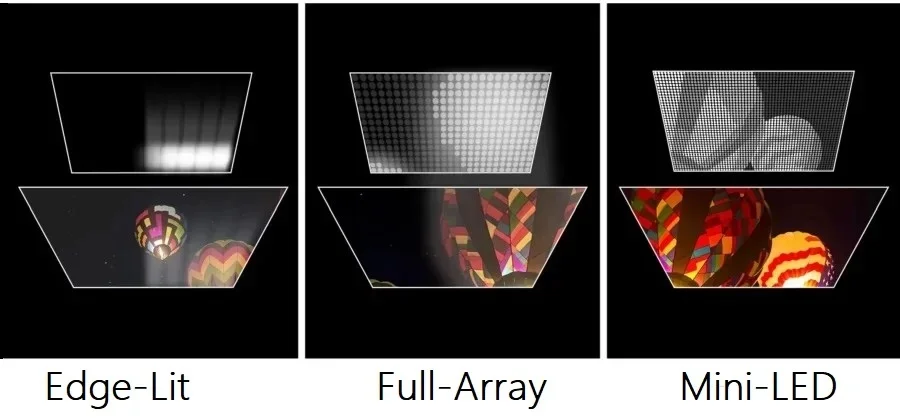
Local Dimming: Enhancing Contrast on TVs and Monitors

4K Resolution: Ultimate Experience for TVs and Monitors
HD vs HDR: Differences and Benefits
HDR400: Understanding Entry-Level HDR Display Technology

Direct Lit vs Edge Lit vs Full Array: Decoding TV Backlight Technology